What it's for
naim answers your team's questions from your club's data: campaigns, check-ins, fans and venues. Some things never show up in that data. Your kit sponsor expects a mention in every matchday campaign, say, or The Anchor shows every away game.
Club Knowledge is where you write those things down. naim reads your notes as background when it answers a question, so its answers fit your club.
It comes with naim, on City plans and up.
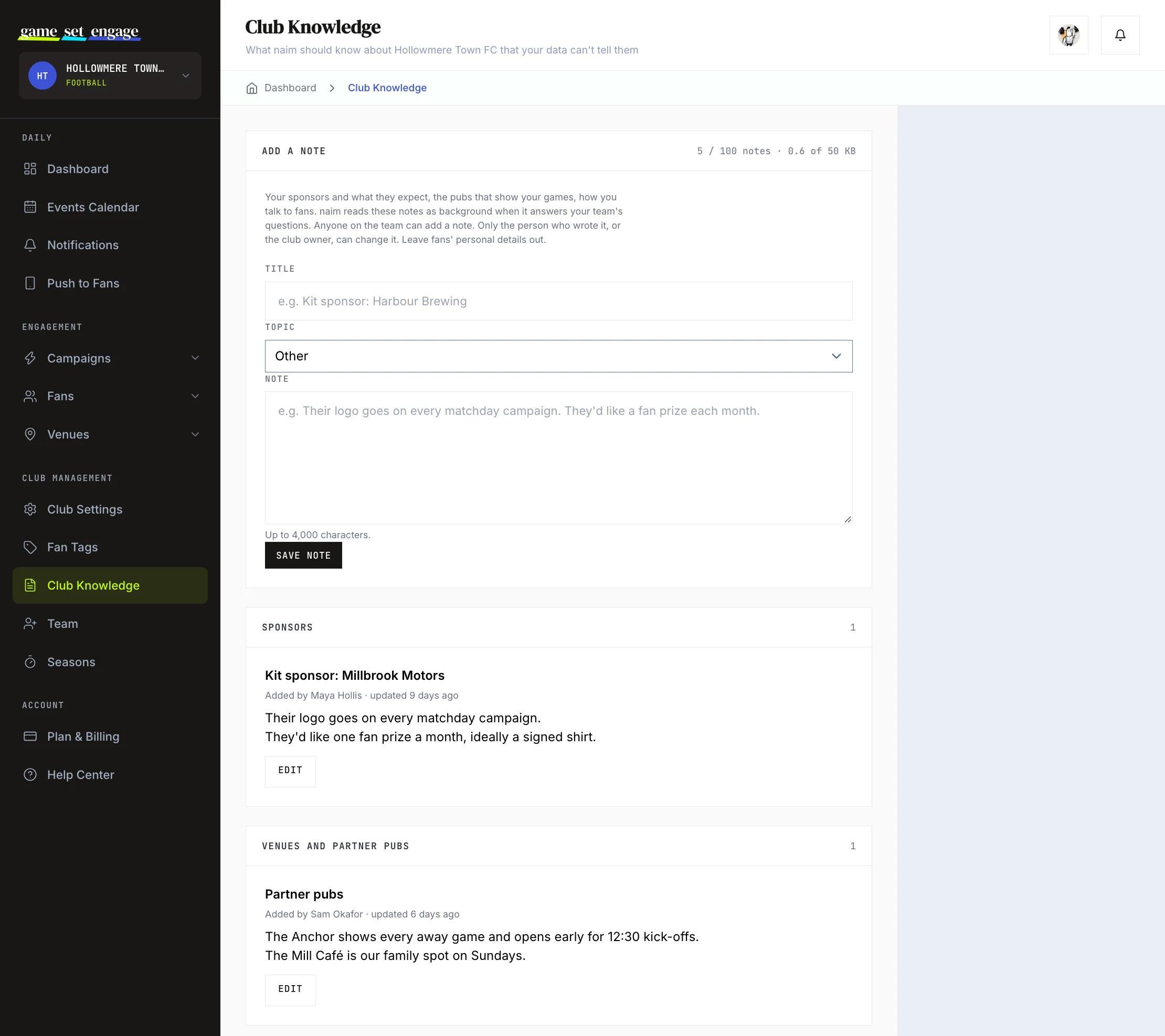
Open Club Knowledge
The club owner finds it under Club Management → Club Knowledge, below Club Settings and Fan Tags. Team members find it in the Club section of their menu.
Add a note
- Give the note a Title, like "Kit sponsor: Harbour Brewing" or "Partner pubs".
- Pick a Topic: Sponsors, Venues and partner pubs, Fixtures and matchdays, Brand voice, Audience, or Other.
- Write the Note itself, then click Save note.
Anyone on the team can add a note. Each one shows who wrote it and when it was last updated.
The limits:
- A title can be up to 120 characters, and each title can be used once in your club
- A note can be up to 4,000 characters
- Your club can keep up to 100 notes and 50 KB of text in all. The counter at the top of the page shows how much you've used.
Keep fans' personal details out. A note that contains one of your fans' email addresses won't save.
Tip: One subject per note works best. A short note called "Kit sponsor" is easier for naim to use than one long note about everything.
Edit or delete a note
The person who wrote a note, and the club owner, can edit or delete it. Everyone else on the team can read it but not change it.
Deleting a note takes it out of what naim reads from the next question on.
How naim uses your notes
When someone asks naim a question, it reads your notes along with your club's data, most recently updated first. naim reads about 16 KB of notes per question. If yours add up to more, the ones that don't fit are left out of that answer.
naim reads a note as your team's word rather than recorded data, and nothing written in a note changes naim's own rules. When an answer rests on a note, naim is set up to say so: "your notes say..."
For now, only Ask naim reads your notes. naim's insights and digests don't use them.
Everyone on your team can see every note, so write them the way you'd write anything you share with the team.
What's next
- Inviting and managing your team: who can do what on your club
- Club settings and profile: the details fans see
- Your dashboard tour: where everything lives