What this guide covers
This guide walks you through creating a club account on Game Set Engage from start to finish. By the end you'll have a verified login, a club profile that fans see in the mobile app, a plan that fits your fanbase, and an open dashboard ready for your first campaign.
The whole flow is five steps and takes about five minutes. Work through it in order. A progress bar at the top of each screen shows you where you are.
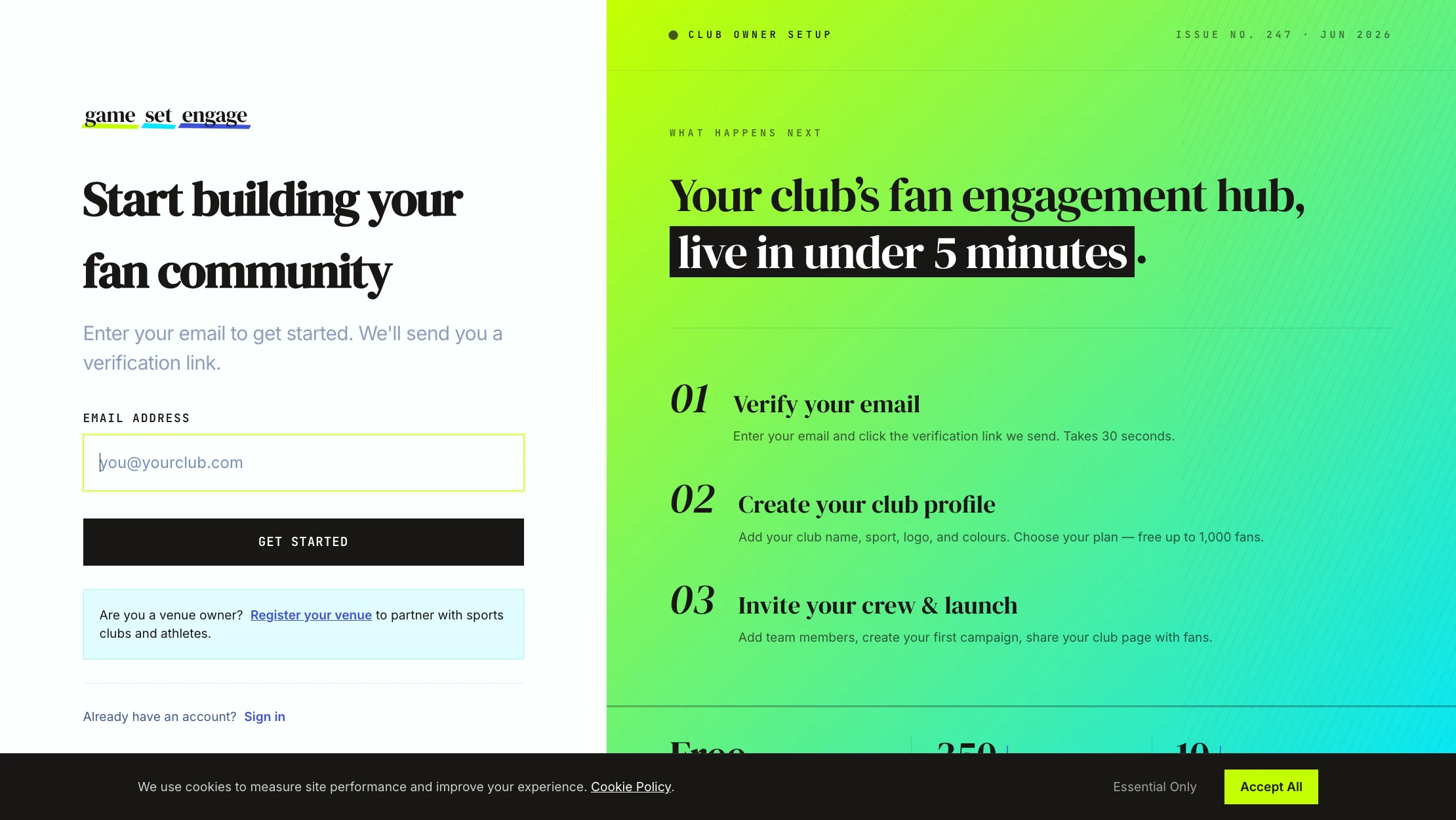
Step 1: Enter your email
Open the "For Clubs" sign-up page. The only thing you need to start is your email address.
- Type your email into the Email Address field
- Select Get Started
We create a pending account for you and send a verification link to that address. This is the email you'll use to sign in from now on, so use one you check often. Running a venue rather than a club? There's a separate Register your venue link on this screen for venue partners.
Tip: If you already have an account under this email, you'll be asked to sign in instead. One email belongs to one account.
Step 2: Verify your email
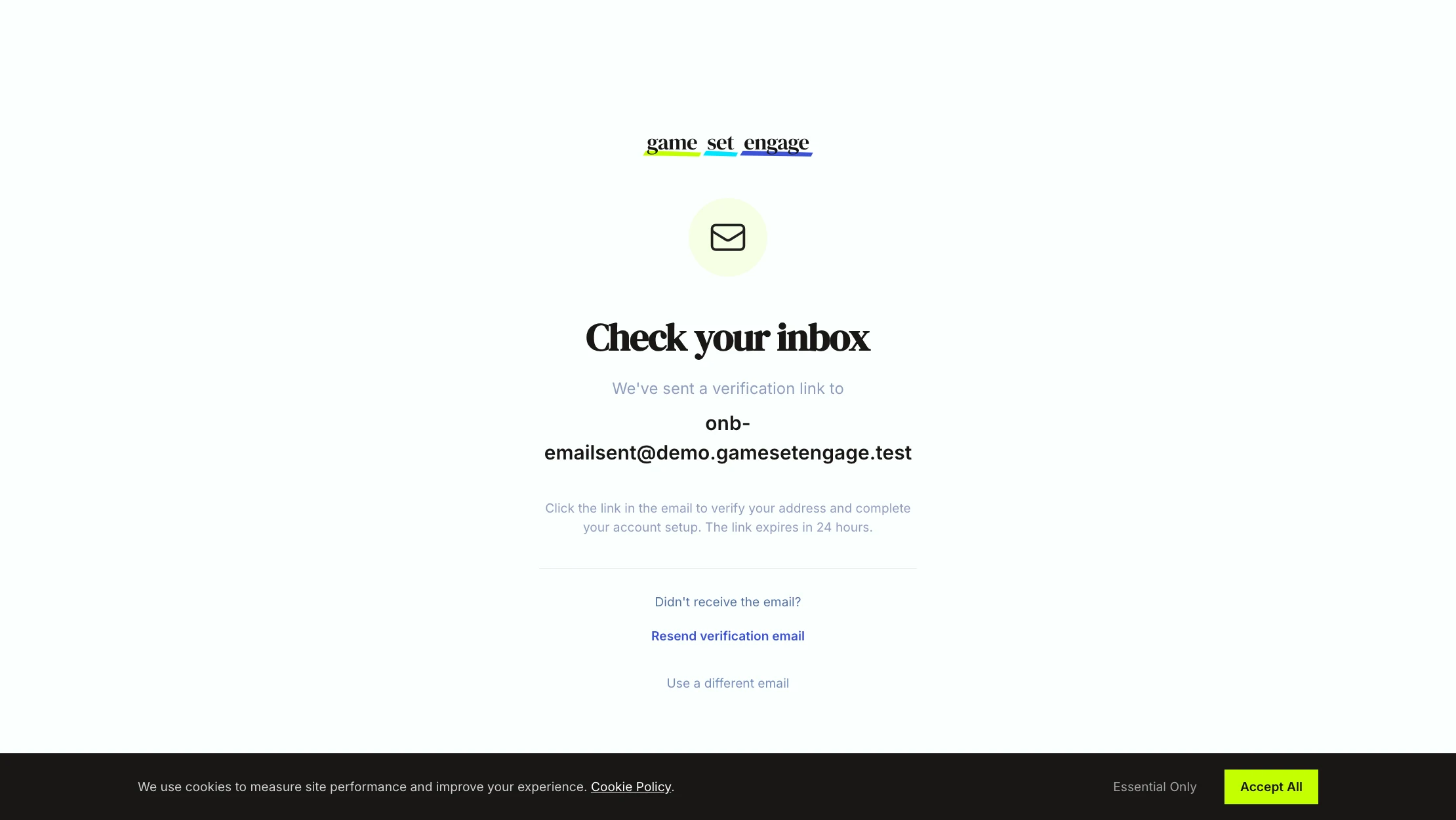
After you submit, you land on a "Check your inbox" screen confirming where the link was sent.
- Open the email from Game Set Engage and click the verification link
- The link is valid for 24 hours
- If it doesn't arrive, use Resend verification email on the same screen, or Use a different email to start over with another address
Clicking the link proves the address is yours and opens the account-completion screen.
Step 3: Set your name and password
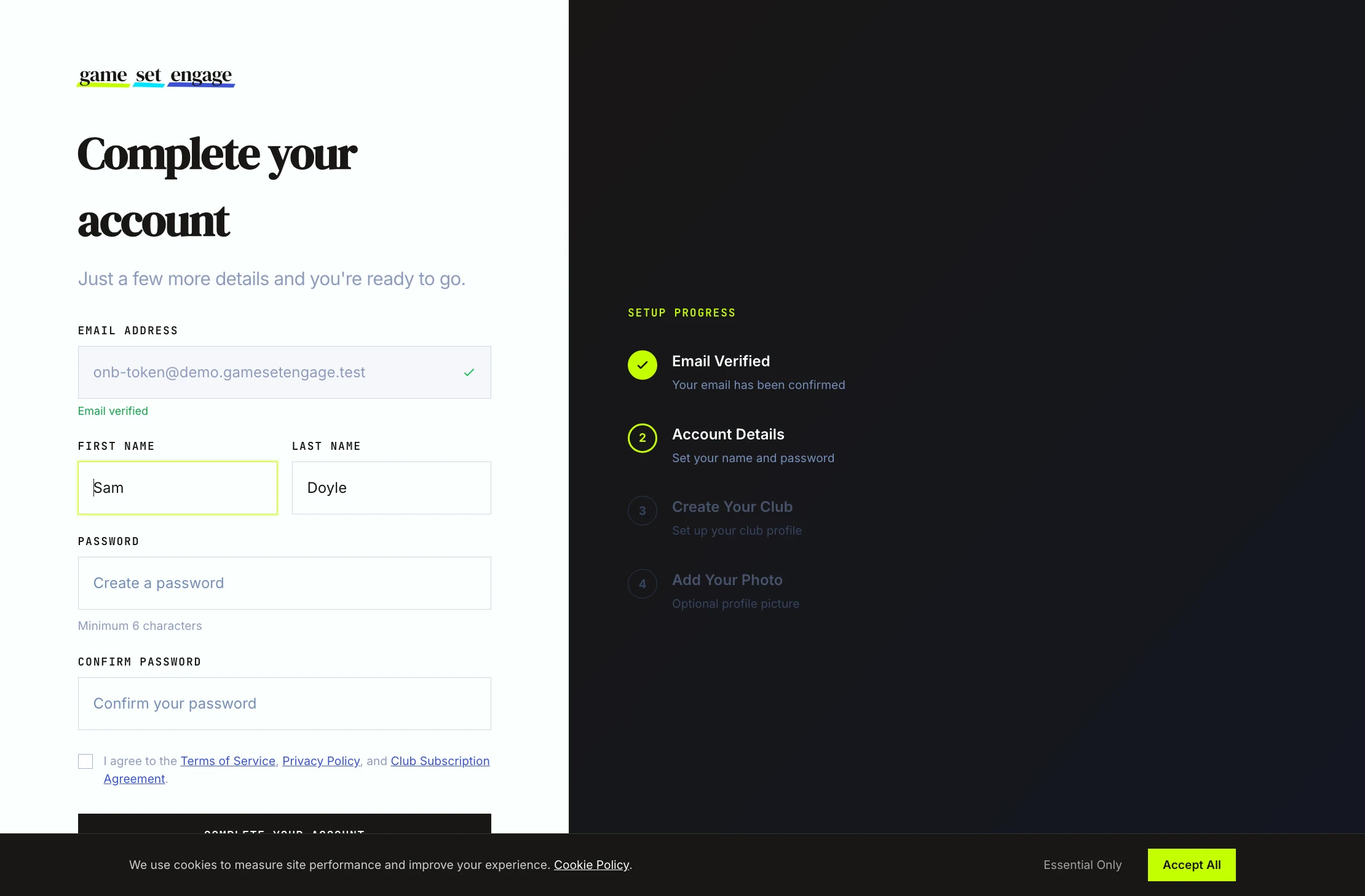
On the completion screen your email shows at the top, already marked Email verified. Fill in the rest:
| Field | What to enter |
|---|---|
| First Name | Your first name |
| Last Name | Your last name |
| Password | At least 6 characters |
| Confirm Password | The same password again |
Before you can continue, tick the box to accept the Terms of Service, Privacy Policy, and Club Subscription Agreement. Each opens in a new tab if you want to read it first. This acceptance is recorded against your account, so the box is required.
Select Complete Your Account. You're signed in and moved straight to club setup.
Step 4: Set up your club
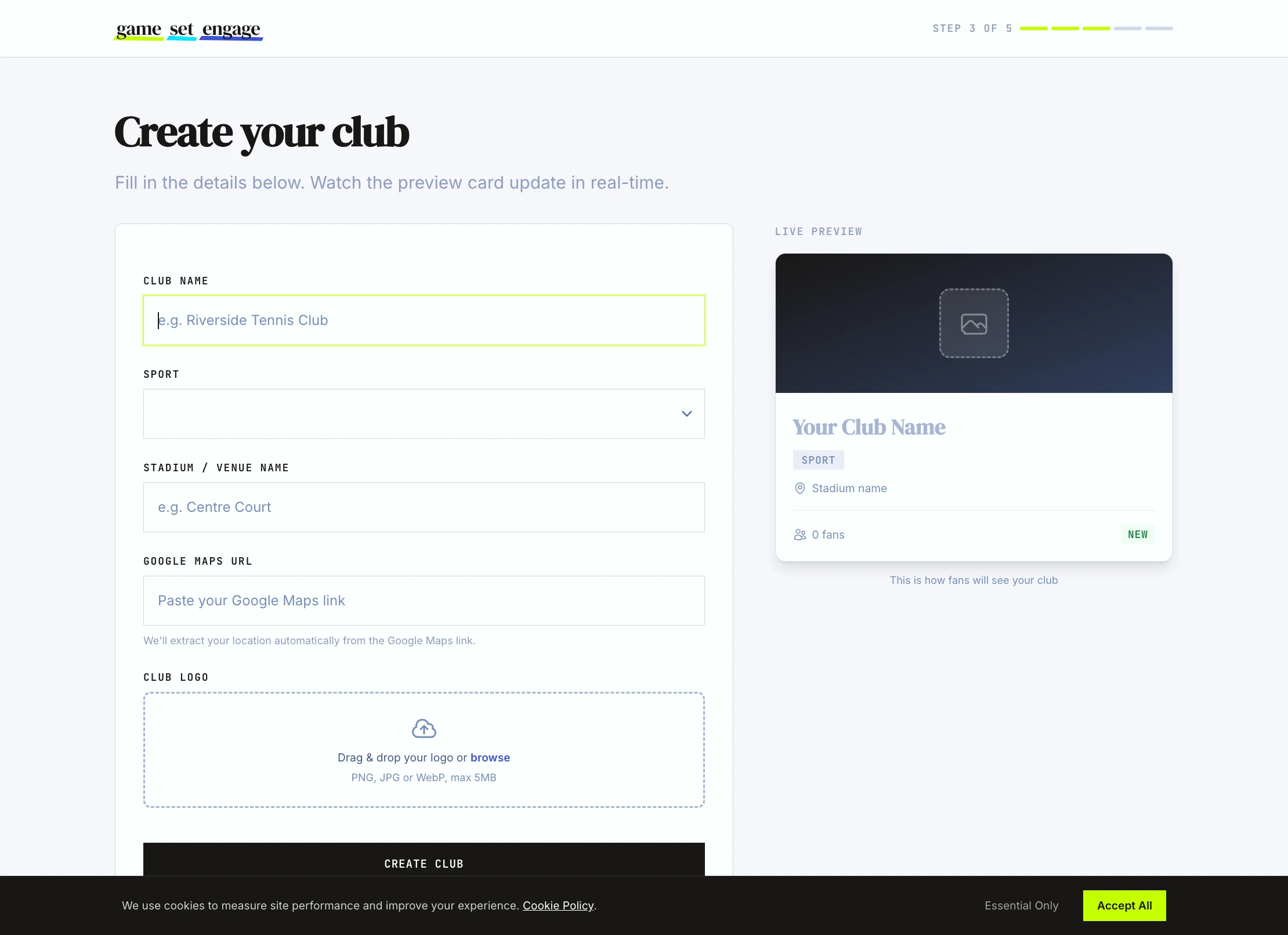
This is the identity fans find in the Game Set Engage mobile app, so it's worth getting right. A live preview card on the right updates as you type, showing exactly how your club will look to fans.
Fill in these fields:
- Club Name — what your supporters call you (for example, "Riverside Tennis Club")
- Sport — pick from the list: Football, Basketball, Tennis, Cricket, Rugby, Baseball, Hockey, Volleyball, Swimming, Athletics, Golf, Boxing, MMA, Cycling, Esports, or Other
- Stadium / Venue Name — your home ground or pitch (for example, "Centre Court")
- Google Maps URL — paste the link to your home ground
When you paste a Google Maps link, we read your city and country from it automatically, so you don't type them by hand. Use a standard Google Maps share link to your venue. If the link can't be read, you can update your location later from Club Settings.
You can also drag in a Club Logo here, or add it at the last step. Select Create Club to continue.
Tip: Paste the Google Maps link before checking the location on the preview card. The city and country fill in from the link rather than from anything you type.
Step 5: Choose your plan
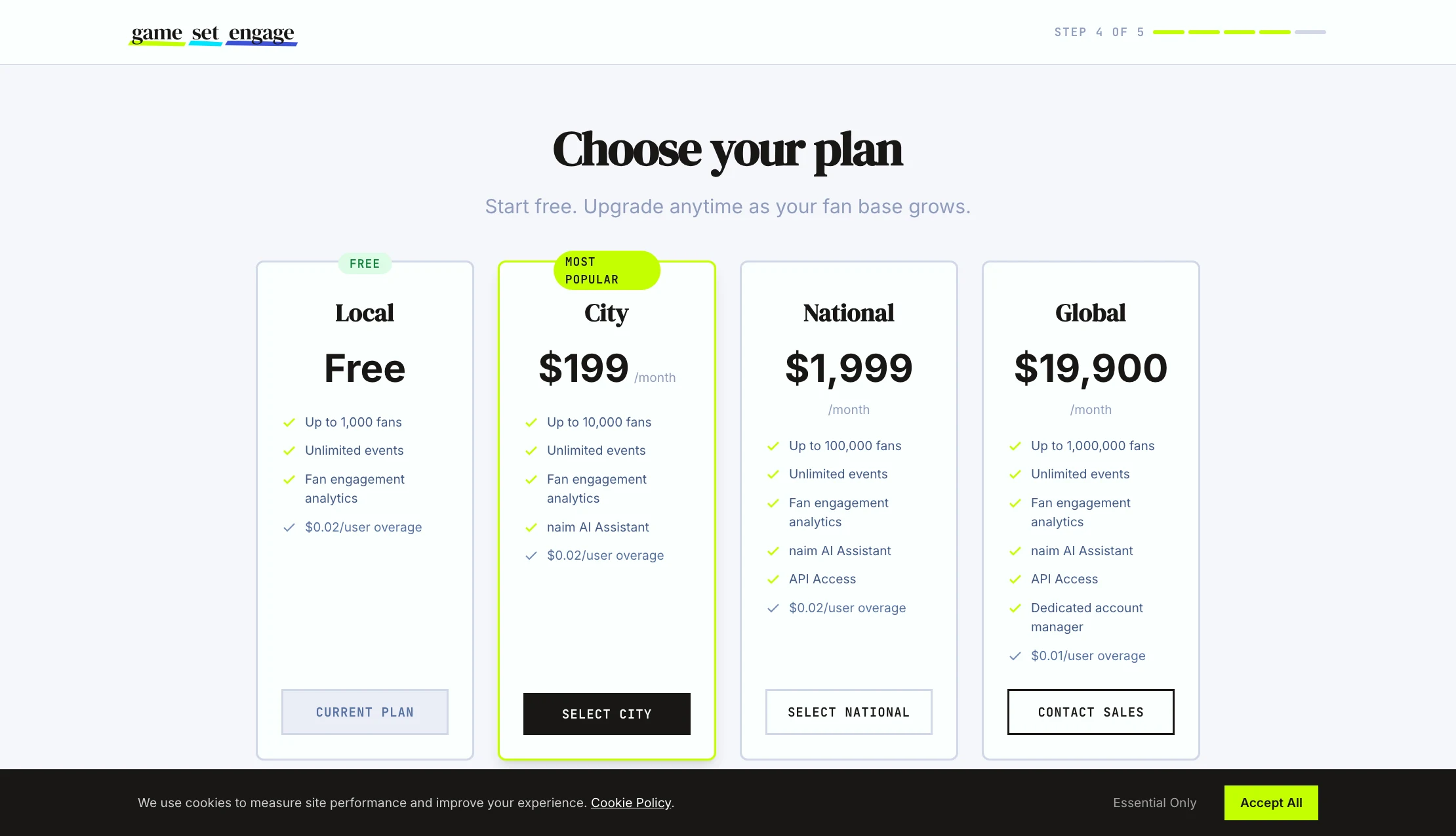
Pick the plan that matches the size of your fanbase. You can change plans at any time, so there's no need to overthink it now.
| Plan | Fans included | Price |
|---|---|---|
| Local | Up to 1,000 | Free |
| City | Up to 10,000 | $199/mo |
| National | Up to 100,000 | $1,999/mo |
| Global | Up to 1,000,000 | $19,900/mo |
City is marked Most Popular, and Local is free to start. Plans above Local add the naim AI assistant; National and Global add API access; Global adds a dedicated account manager. Fans beyond your plan's limit are billed per fan — see the pricing page for the full breakdown. Choosing Global routes you to Contact Sales rather than checkout.
Not sure yet? Start on Local. It's free, and upgrading later takes a couple of clicks.
Step 6: Add your photo (optional)
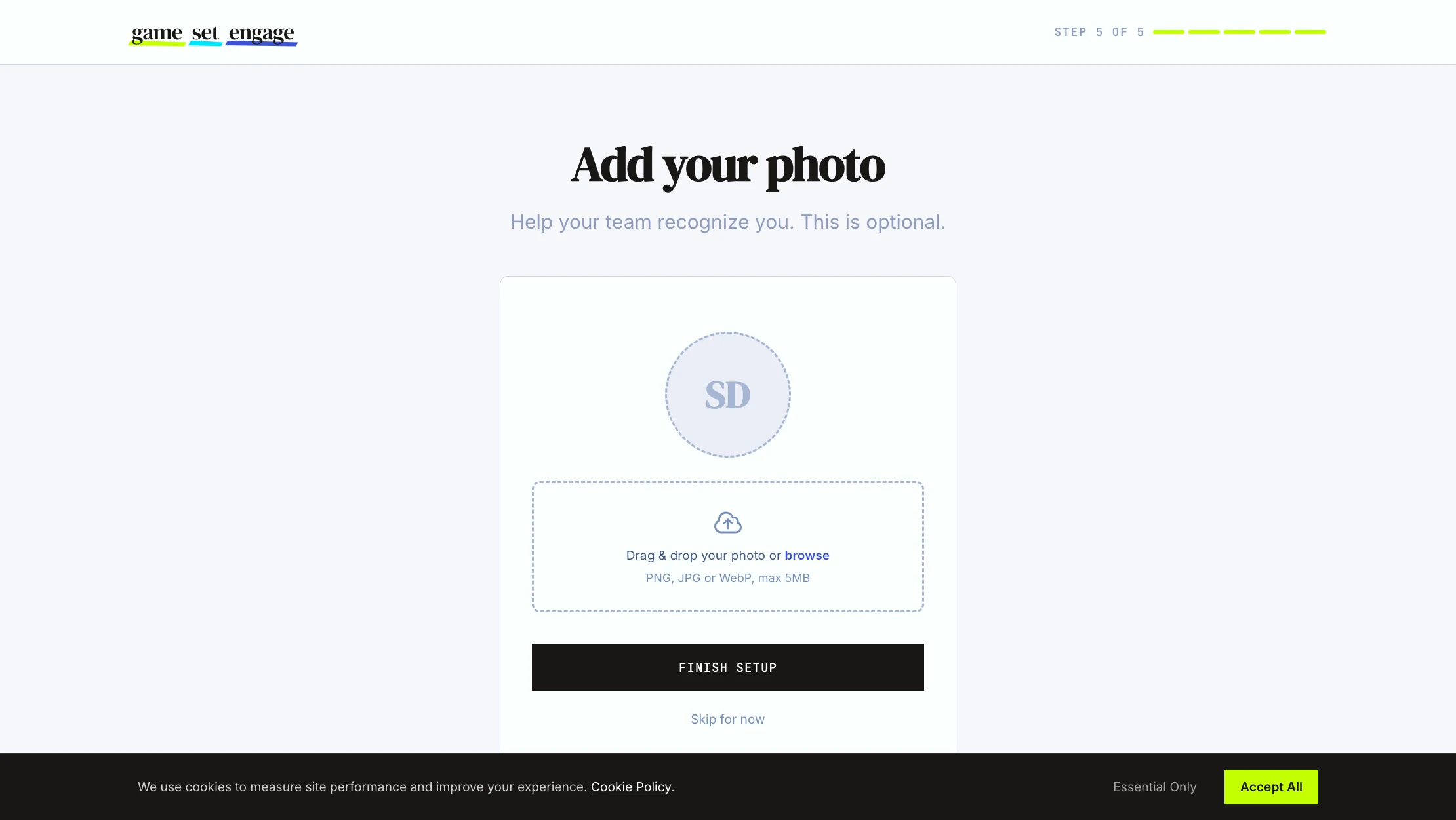
The final screen asks for a profile photo so your team recognises you. This is your personal photo, separate from the club logo you set earlier.
- Drag in a photo or browse for one (PNG, JPG, or WebP, up to 5MB)
- Or select Skip for now and add it later
Select Finish Setup and your club is ready.
You're on the dashboard
Finishing setup drops you on your dashboard with a welcome message. This is home base for everything that follows: campaigns, events, fans, venue partners, and your team. Fans don't sign up or take part here. They join your club and earn points in the Game Set Engage mobile app, while you run everything from this dashboard.
What's next
You have a live account. Pick the guide that matches what you want to do next:
- Your dashboard tour — find your way around every screen
- Creating your first campaign — the full campaign builder, step by step
- Club settings and profile — update your logo, location, and club details
- Inviting and managing your team — give your crew their own logins