Hand fans a discount they actually use
Deal code campaigns turn a discount into a reason to join. A fan opens your campaign in the Game Set Engage mobile app, takes part, and a code lands on their success screen. No coupon book, no email chase.
Game Set Engage gives you two types of code campaign, and the difference is simple:
- Deal Code — one shared code that every fan who joins sees. The code is the reward.
- Special Deal Code — a unique code per fan, claimed from a pool of codes you upload or generate.
This guide covers both, and shows you how to manage a unique-code pool from your dashboard.
ScreenshotA deal code campaign success screen in the Game Set Engage mobile app, showing the discount code a fan receives after joining
Deal Code: one shared code for everyone
Pick Deal Code in the campaign builder when you want every fan to receive the same code. You type the code once when you create the campaign, and that's it.
How it works for fans:
- The fan opens the campaign in the mobile app and joins
- The shared code appears on their success screen
- They use it wherever your offer applies
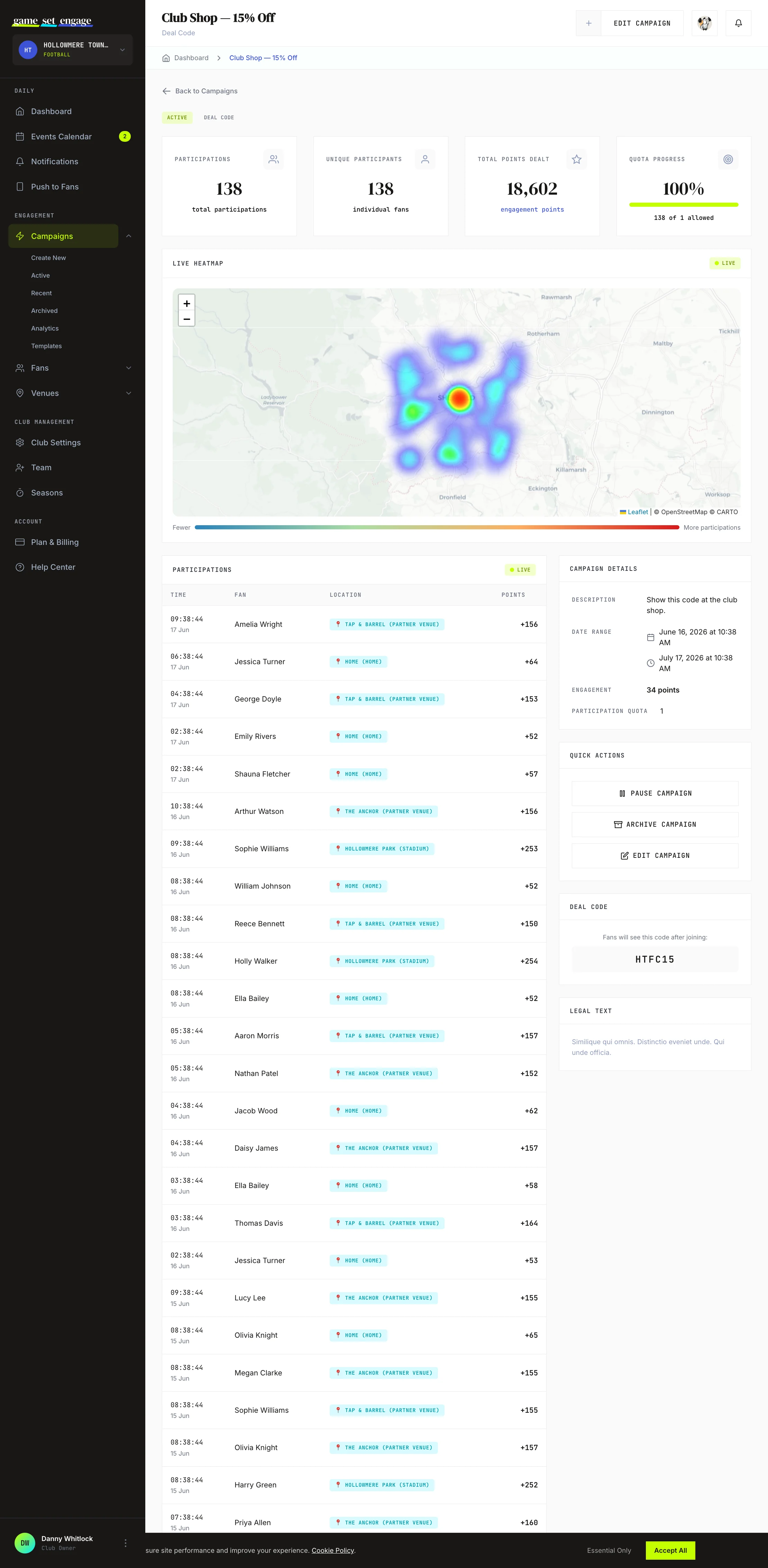
There's nothing for the fan to enter, and nothing more for you to manage. On the campaign page in your dashboard, the Deal Code panel shows you the exact code your fans see.
Tip: Use a Deal Code when the code is the same for everyone — a partner promo like
MATCHDAY20, or a club-shop discount you're happy for fans to share. If you need each fan to get their own code, so every code traces back to one fan, choose Special Deal Code instead.
Special Deal Code: a unique code per fan
Pick Special Deal Code when each fan should get their own code. Instead of one code on the campaign, you build a pool of codes, and each fan who joins claims the next available one.
This is the right choice when:
- Your codes are single-use, like vouchers or ticket discounts, so each fan needs their own
- You're working with a partner who supplied a batch of unique codes
- You want to see which fan claimed which code
When a fan joins, Game Set Engage hands them one code from your pool and marks it as taken. The system claims codes one at a time and never gives the same code to two fans, even during a match-day rush when hundreds of fans join at once.
After you create a Special Deal Code campaign, whether you save it as a draft or publish it, the dashboard takes you straight to the code management screen so you can fill the pool before fans start joining.
Important: A Special Deal Code campaign needs codes in the pool before fans can join. If the pool is empty, fans can't take part. Add codes before you publish, or right after.
Managing your code pool
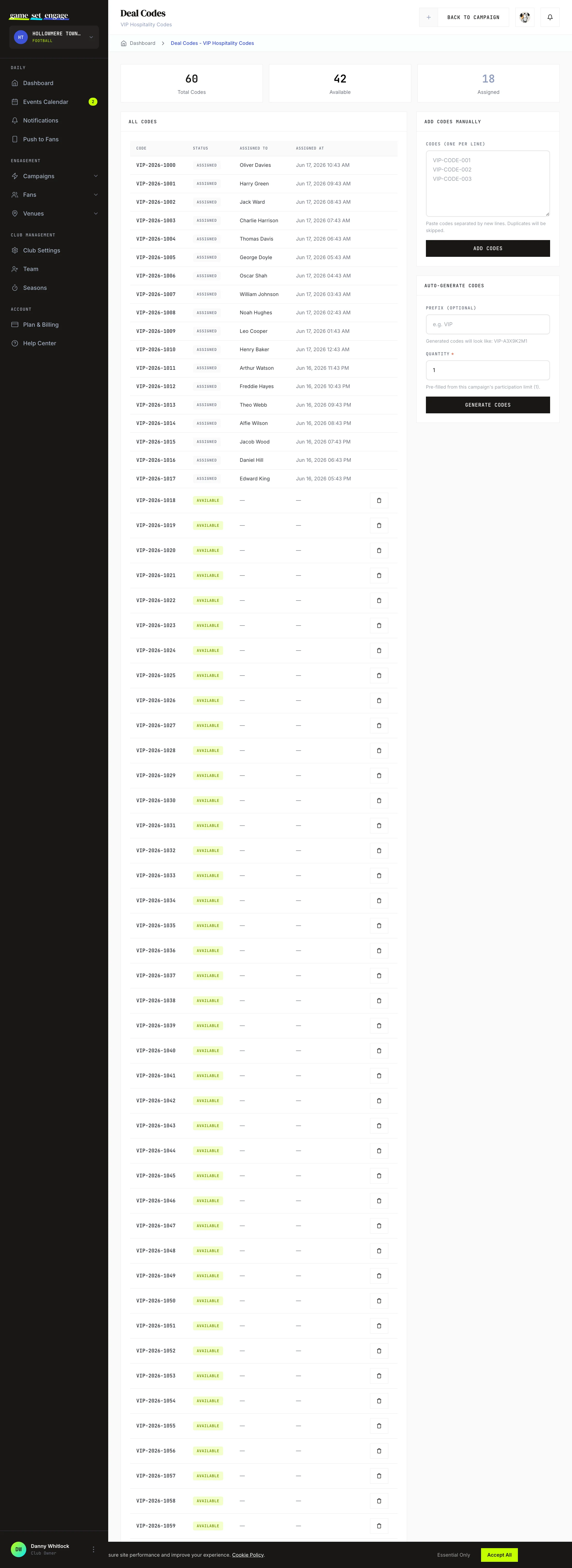
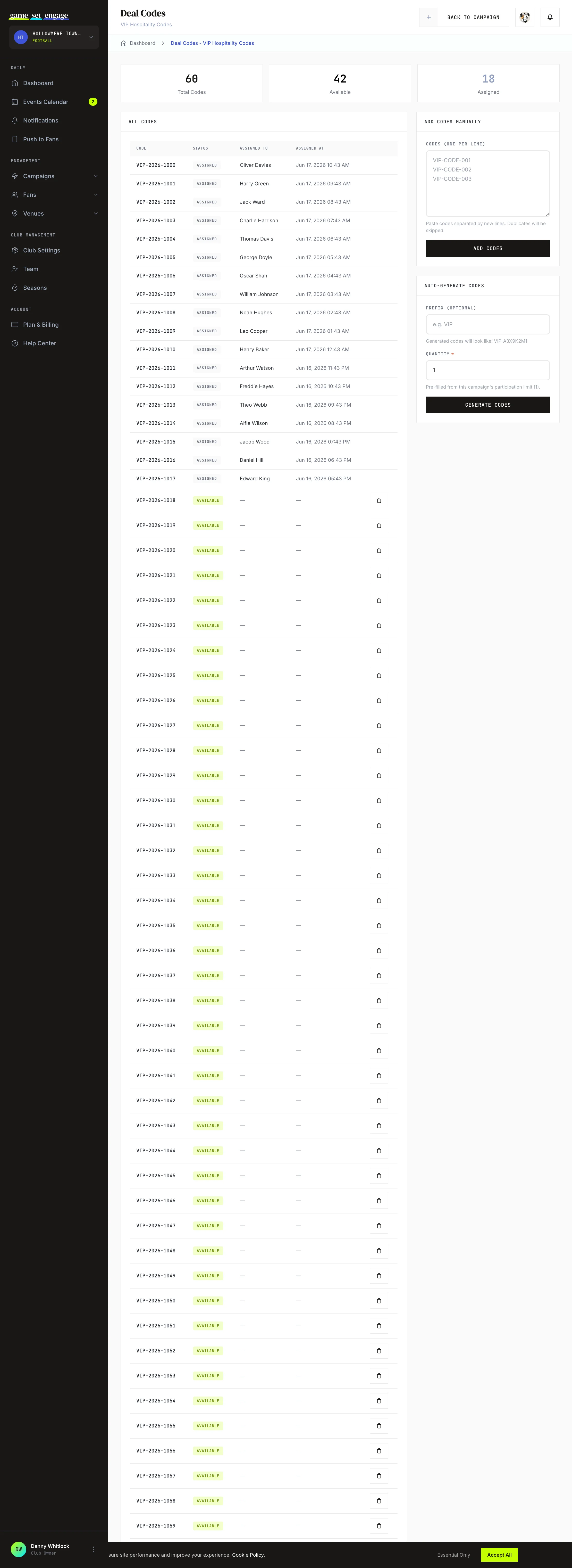
Open a Special Deal Code campaign and use the Manage Deal Codes button to reach the pool. The screen has three parts: a count of where your codes stand, a list of every code, and two ways to add more.
The counts at the top
| Count | What it means |
|---|---|
| Total Codes | Every code in the pool |
| Available | Codes still waiting to be claimed |
| Assigned | Codes already claimed by fans |
Watch Available during a live campaign. When it runs low, add more codes before the pool empties.
Add your own codes
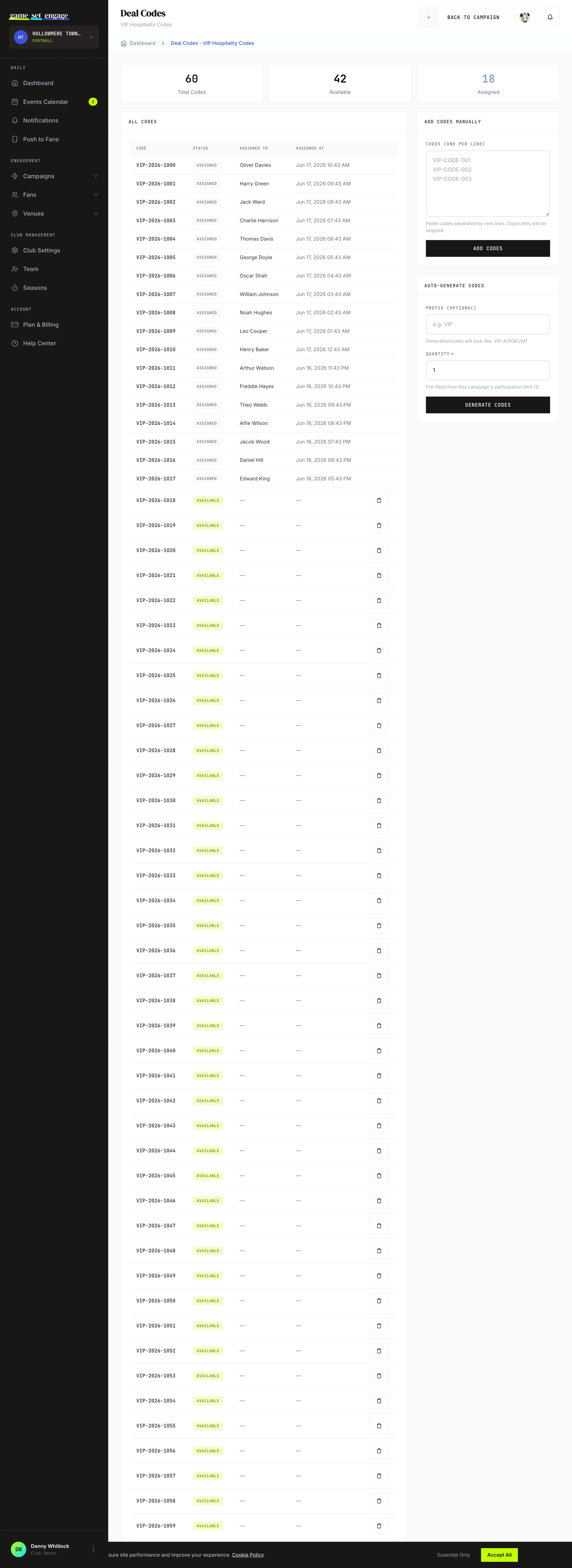
If a partner gave you a batch of codes, use Add Codes Manually. Paste them into the box, one code per line, and submit. Each code can be up to 24 characters, and a campaign holds up to 10,000 codes. Game Set Engage skips duplicates, codes already in the pool, codes that are too long and anything over the limit, then tells you how many it added and why it skipped the rest.
Generate codes automatically
No batch to hand? Use Auto-Generate Codes. Set an optional prefix and a quantity, and Game Set Engage builds that many unique codes for you. A prefix of VIP produces codes like VIP-A3X9K2M1, so fans can tell at a glance which campaign a code came from. You can generate up to 10,000 codes at a time. A campaign holds 10,000 codes in all, so if the pool has less room than you ask for, you get as many as fit. The prefix is optional, up to 12 letters or numbers, and shows in capitals.
Tip: If your campaign has a participation limit, the quantity field is pre-filled to match it, so the pool covers every fan who can join.
Reading and tidying the list
The code list shows every code with its status, the fan who claimed it, and when. A code is either Available (still in the pool) or Assigned (claimed by a fan).
Anyone on your team can add, generate or delete codes. You can delete an Available code if you added it by mistake. Once a code has been Assigned to a fan, it's locked — you can't delete it, because that fan is holding it as their reward.
What fans see in the mobile app
For both campaign types, the experience is the same shape: the fan joins your campaign and the code appears on their success screen. With a Deal Code, that's the shared code. With a Special Deal Code, it's the unique code they just claimed from your pool. Fans always act in the Game Set Engage mobile app — your dashboard is where you set the code up and watch it perform.
What's next
- Campaign types explained — see how deal codes compare to check-ins, surveys, and predictions
- Creating your first campaign — the full builder, step by step
- Managing and publishing campaigns — drafts, going live, and editing
- Campaign analytics and reports — measure how your code campaign performs