What this guide helps you do
Game Set Engage gives you a range of campaign types. Each one creates a different kind of moment for your fans — checking in at a match, scanning a QR code, answering a survey, bidding on a prize. This guide explains what every type does, what the fan sees in the mobile app, how points work, and when to reach for it.
Use it as a reference. Skim the comparison table to narrow your choice, then read the section for the type you're considering.
Tip: Whichever type you pick, you build it on your club dashboard and fans take part in the Game Set Engage mobile app. For the step-by-step build, see Creating your first campaign.
Quick comparison
| Type | What the fan does | Tied to an event? | How points work |
|---|---|---|---|
| Match / Event Check-in | Checks in around a match | Yes (required) | Points by location: stadium, partner venue, or home |
| Open Campaign | Joins anytime | No | Flat points for taking part |
| Deal Code | Joins to reveal a shared code | No | Flat points (optional) |
| Special Deal Code | Joins to get a unique code | No | Flat points (optional) |
| QR Based | Scans a QR code | No | Flat points for scanning |
| Survey | Answers questions | No | Flat points for completing |
| Prediction | Predicts an outcome | No | Points per correct answer only |
| Quiz | Answers instantly-scored questions | No | Points per correct answer only, paid instantly |
| Auction | Bids engagement points on a prize | No | Fans spend points to bid |
Match / Event Check-in
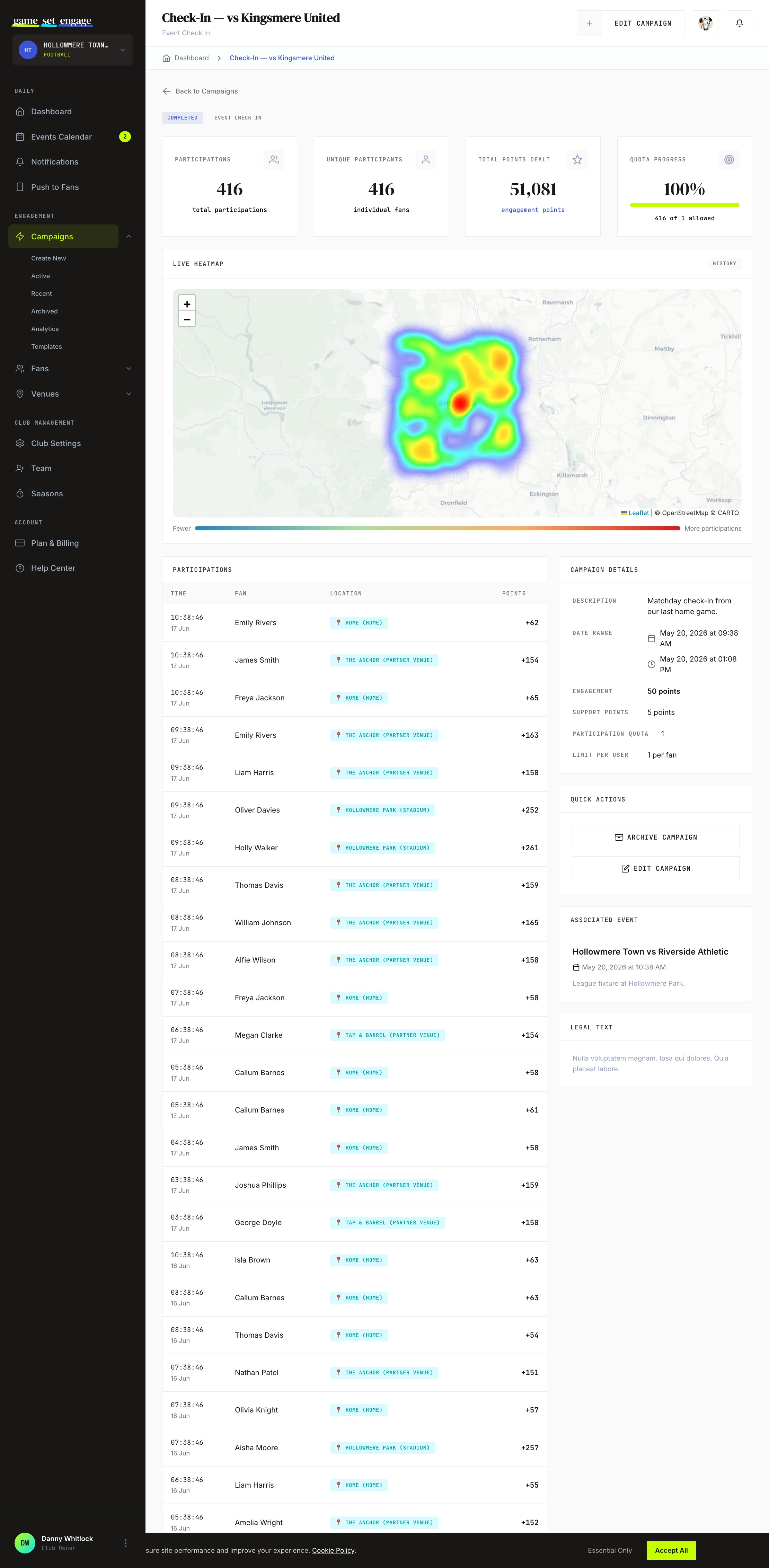
What it does: Ties a campaign to one of your events and rewards fans for checking in around it. The campaign's dates come from the event automatically, and check-in is location-aware.
What the fan experiences: On match day, the fan opens the app and checks in. How many points they earn depends on where they are.
How points work: You set a points value for each check-in location. For example:
| Where the fan checks in | Suggested tier |
|---|---|
| At the stadium / event | 5× (highest) |
| At a partner venue | 3× |
| At home | 1× (lowest, still rewarded) |
In the builder you set the actual points for each tier: the main Engagement Points for the stadium, Home check-in points for watching at home, and Partner venue check-in points for a venue your club has approved as a partner. Home check-in points start at a fifth of the stadium points if you leave the field blank; enter 0 to require fans to be at the ground. A fan can check in once per event.
When to pick it: Match days and live events, when you want attendance data and want to reward fans for turning up — wherever they watch from.
Open Campaign
What it does: A simple, flexible campaign fans can join at any time within its dates. No event, no location needed.
What the fan experiences: The fan sees the campaign in the app and joins it.
How points work: Fans earn the flat engagement points you set for taking part.
When to pick it: Season-long engagement, a "join our community" push, or any time you want a straightforward way to reward fans without tying it to a specific moment.
Deal Code
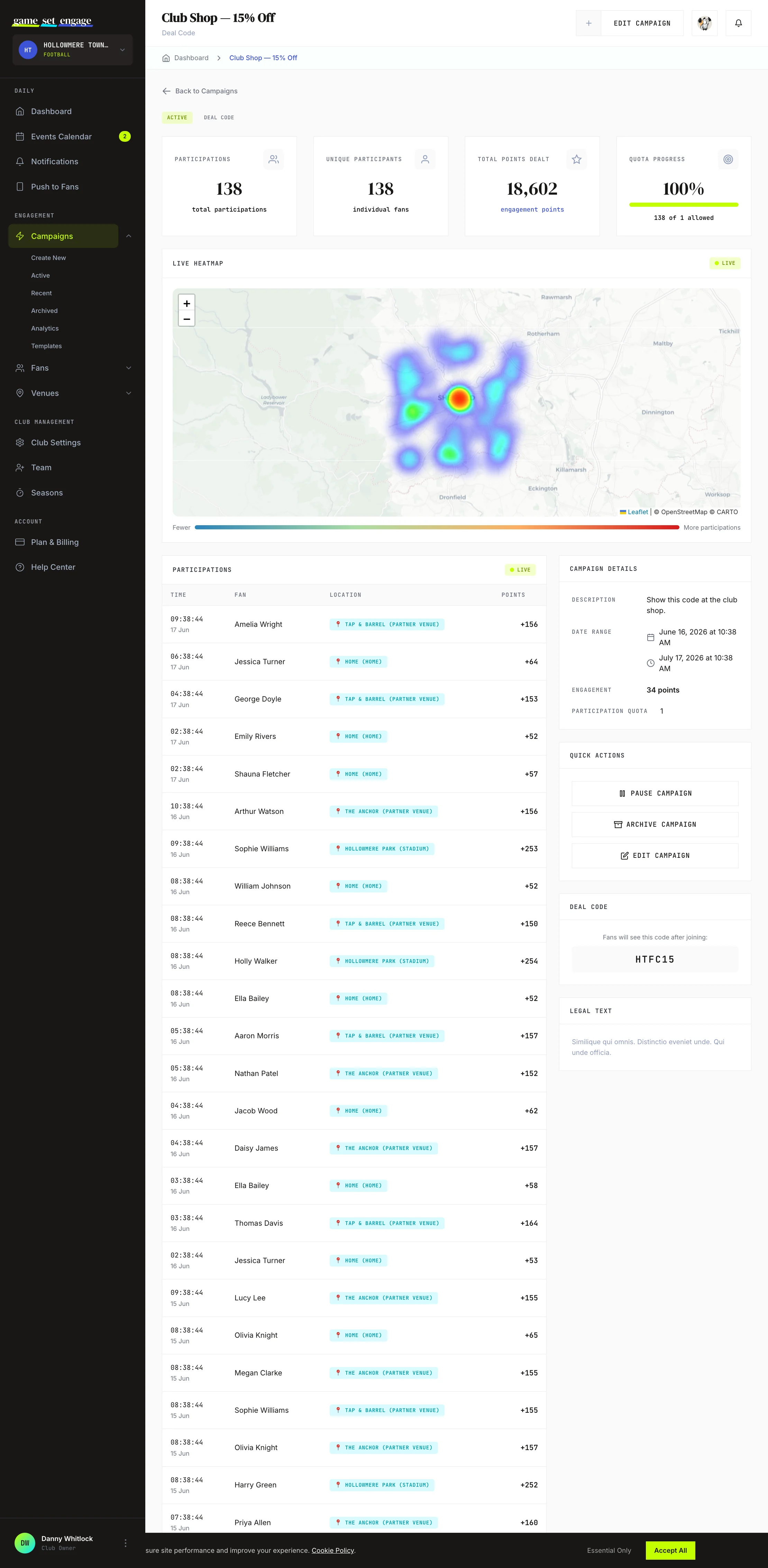
What it does: Shows fans a single shared discount code when they join.
What the fan experiences: The fan joins the campaign and sees the code on the success screen. There's nothing to type in — the code is the reward.
How points work: You can award engagement points for joining, on top of the code.
When to pick it: A blanket offer where everyone gets the same code — a club-shop discount, a ticket promo, a sponsor deal you're happy to share widely.
Special Deal Code
What it does: Gives each fan a unique code drawn from a pool you manage, instead of one shared code.
What the fan experiences: The fan joins and receives their own code, different from every other fan's.
How points work: As with Deal Code, you can award engagement points for joining.
When to pick it: Offers that must be one-per-fan or single-use — limited-stock rewards, partner vouchers that can only be redeemed once, anything you need to track per fan. After you create the campaign, you load the codes into the pool. See Deal codes and discount codes for the full setup.
QR Based
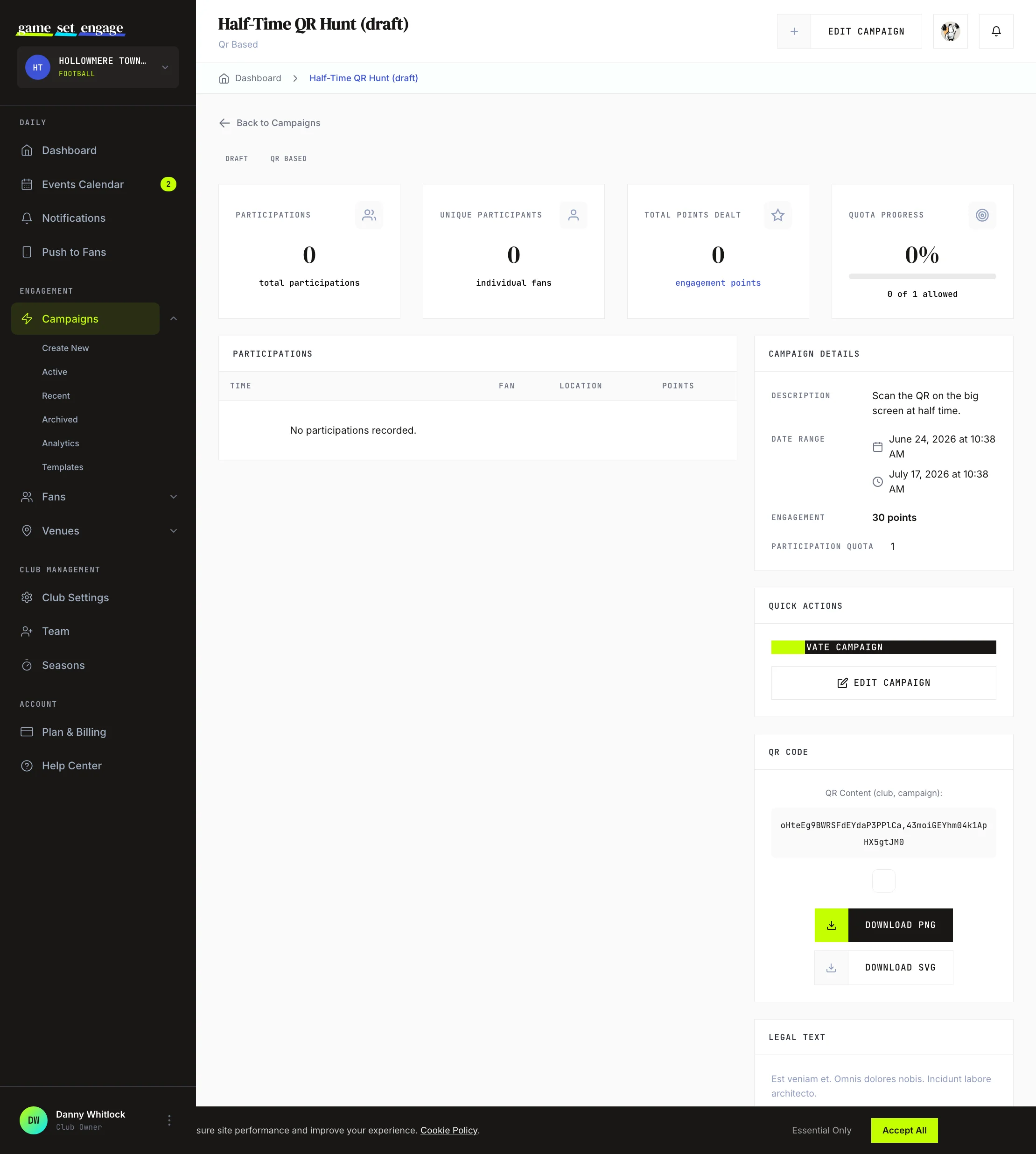
What it does: Creates a QR code fans scan to take part. You can download the QR code and print or display it.
What the fan experiences: The fan scans the code with the app and is entered into the campaign.
How points work: Fans earn the engagement points you set for scanning.
When to pick it: In-person moments where you can place a code — on a stadium concourse, a programme, a sponsor banner, a table tent at a partner venue.
Survey
What it does: Asks fans a set of questions and collects their answers.
What the fan experiences: The fan works through your questions and submits their responses.
How points work: Fans earn engagement points for completing the survey. You can also mark questions with a correct answer to run it as a quiz.
When to pick it: Fan feedback, research, or a light quiz — kit votes, matchday surveys, "how did we do" check-ins. You can save a question set as a reusable template for next time.
Prediction
What it does: Lets fans predict outcomes and rewards them for getting predictions right.
What the fan experiences: The fan submits their prediction before the result is known. Once you confirm the result, fans who guessed correctly get their points.
How points work: Points are awarded per correct answer only — simply taking part earns nothing. After the event, you resolve the result by setting the correct answer, and points are paid out to fans who got it right. Because of this, you can customise the screens fans see for a correct answer, a wrong answer, and an "awaiting result" state.
When to pick it: Score predictors, first-goalscorer guesses, or any "call it before it happens" game tied to a fixture.
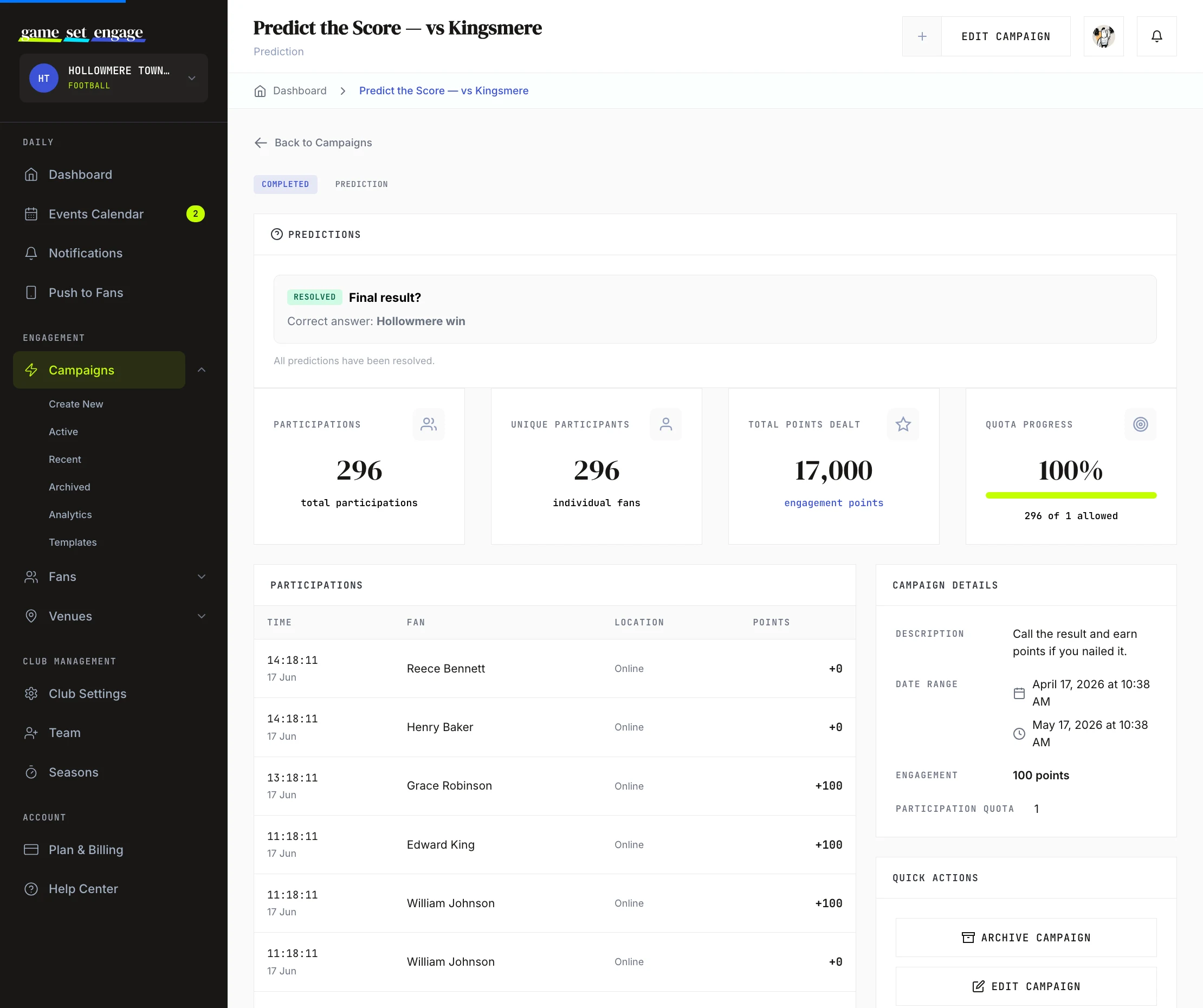
Tip: Surveys, predictions and quizzes share a question builder and can be saved as templates. For the deep dive, see Surveys and predictions.
Quiz
What it does: Instantly-scored questions — you set the correct answers while building the campaign, and fans find out how they did the moment they submit.
What the fan experiences: The fan answers the questions and immediately sees which were right, along with the points earned.
How points work: Points are awarded per correct answer only — simply taking part earns nothing. Because the answers are set upfront, scoring happens instantly; there is nothing to resolve later. The per-correct reward pays on the fan's first participation only.
When to pick it: Club history quizzes, sponsor trivia, "how well do you know the squad" games — anything where the answer is already known.
Auction
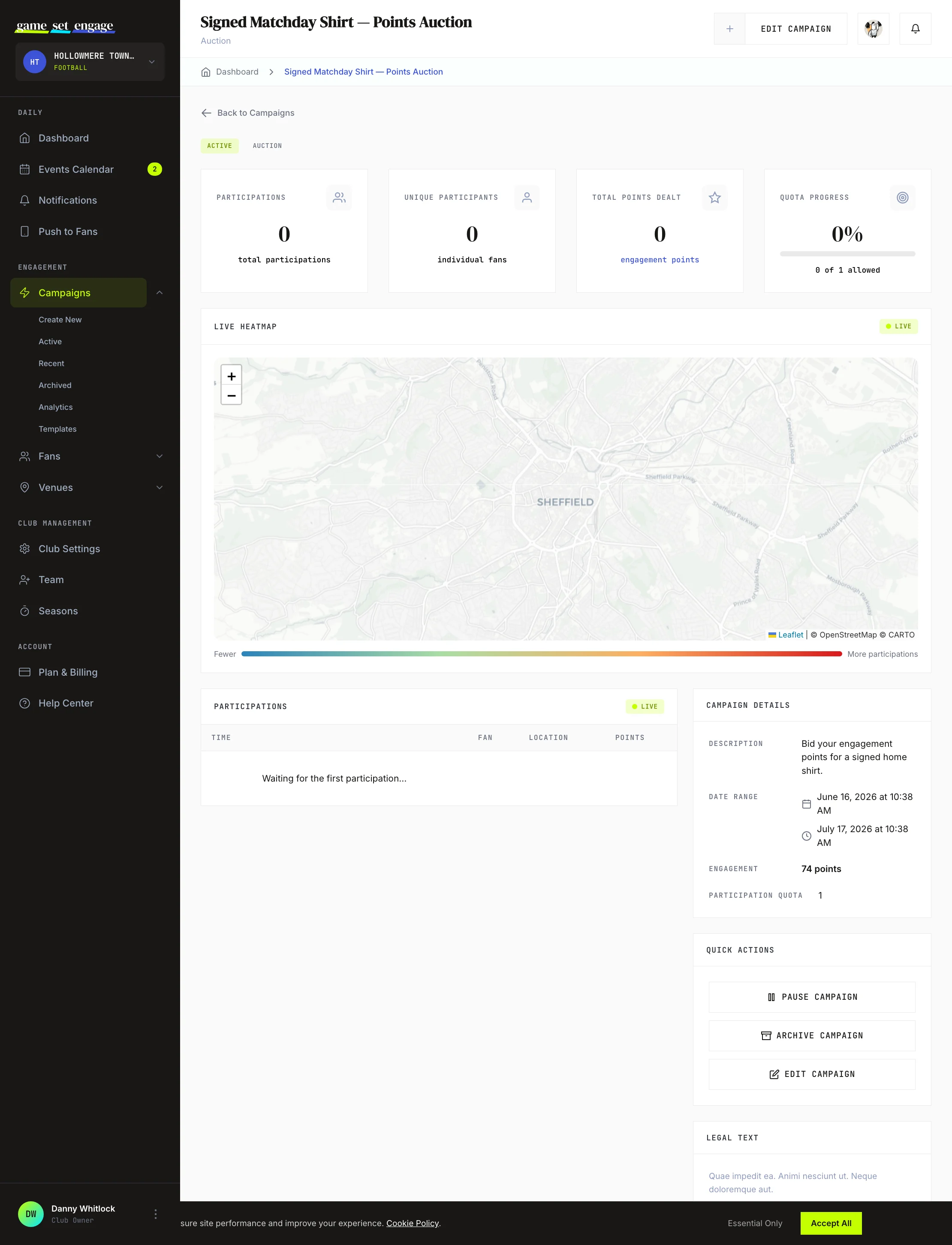
What it does: Runs a competitive bid where fans compete for a prize.
What the fan experiences: Fans place bids using their engagement points — not money. The highest bid wins.
How points work: You set a Starting Bid and a Bid Step (the minimum increase each new bid must clear, between 5 and 50 points). Fans bid the points they've earned across your campaigns.
When to pick it: High-value rewards that create a buzz — signed shirts, matchday experiences, money-can't-buy access. Auctions turn the points fans have banked into something to compete for, which keeps them engaged across the season.
Choosing the right type
A quick way to decide:
- Reward attendance at a match → Match / Event Check-in
- Run an always-on engagement campaign → Open Campaign
- Share one discount with everyone → Deal Code
- Give each fan their own code → Special Deal Code
- Reward an in-person scan → QR Based
- Collect feedback or run a quiz → Survey
- Run a "guess the outcome" game → Prediction
- Let fans compete for a prize with points → Auction
What's next
- Creating your first campaign — build any of these types step by step
- Prerequisite and bonus campaigns — link two campaigns so one unlocks or rewards the other
- Deal codes and discount codes — shared and unique codes in detail
- Surveys and predictions — the question builder, quizzes, and resolving results
- Managing and publishing campaigns — take a campaign from draft to live