Two ways to get fans talking
Surveys and predictions both ask fans a few short questions in the Game Set Engage mobile app. The difference is what happens with the answers:
- Survey — you collect opinions. There's no right or wrong answer; every fan who takes part is heard.
- Prediction — you set a correct answer. Fans pick an outcome, and only the ones who get it right earn points once you confirm the result.
Both store their questions the same way, so the builder feels familiar across the two. This tutorial walks you through building each one, resolving a prediction after the match, and exporting the responses.
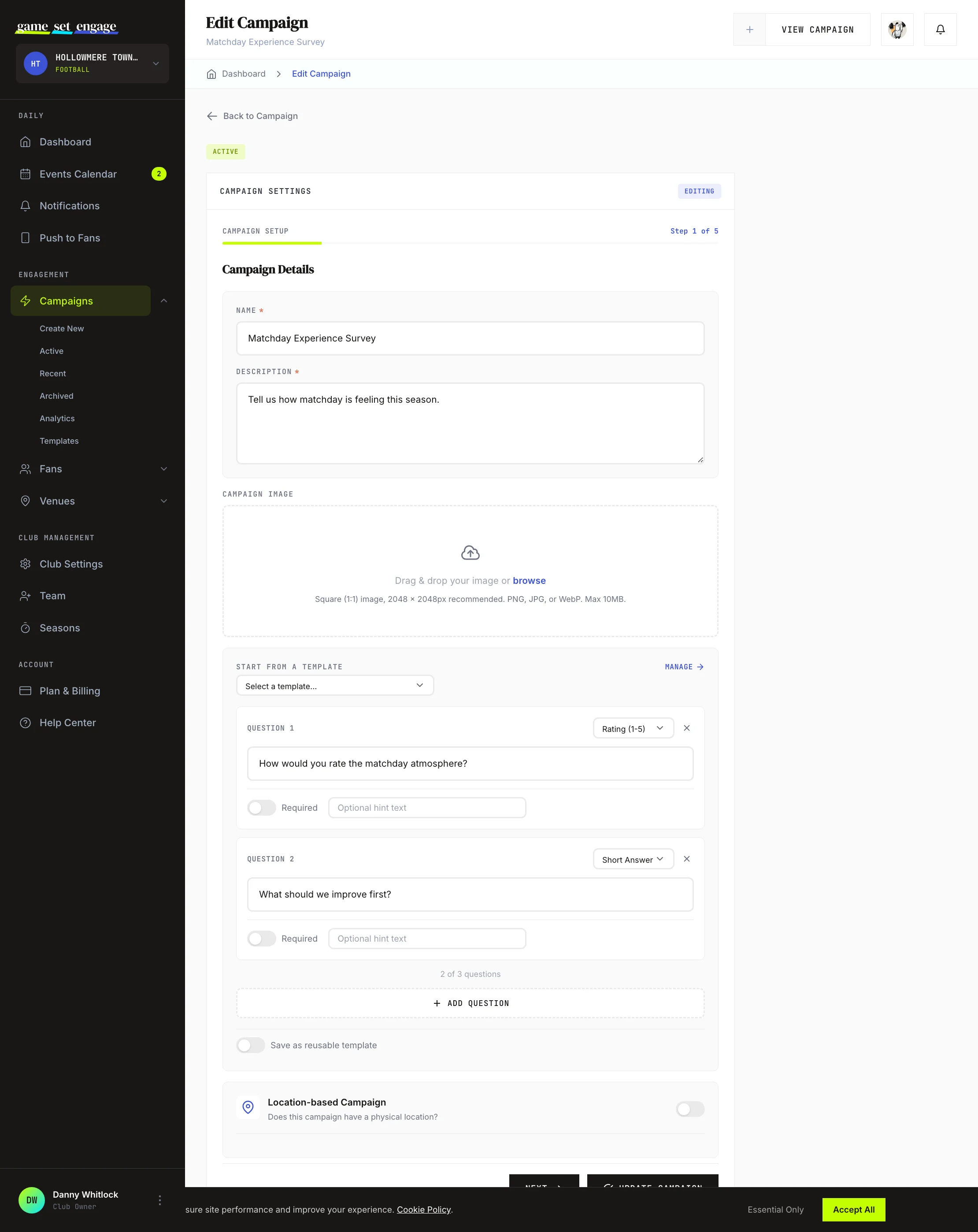
Building a survey
When you pick the Survey type in the campaign builder, the question builder appears. You can add up to three questions. For each one, write the question and list the answer options fans choose from.
- Click Add Question
- Type the question fans will see
- Add the answer options
- Repeat for up to three questions
That's all a survey needs. Every fan who answers is recorded, and you read the results back on the campaign page.
Save a survey as a template
Turn on Save as reusable template and give it a name before you create the campaign. Next time you build a survey, you can load those questions in one click instead of retyping them. Your saved sets live under Campaigns → Templates. For the full walkthrough, see Reusable question templates.
Tip: Post-match feedback works well as a survey: ask about the atmosphere, the match-day experience, or what fans want more of. Keep it to three questions so fans finish it.
Building a prediction
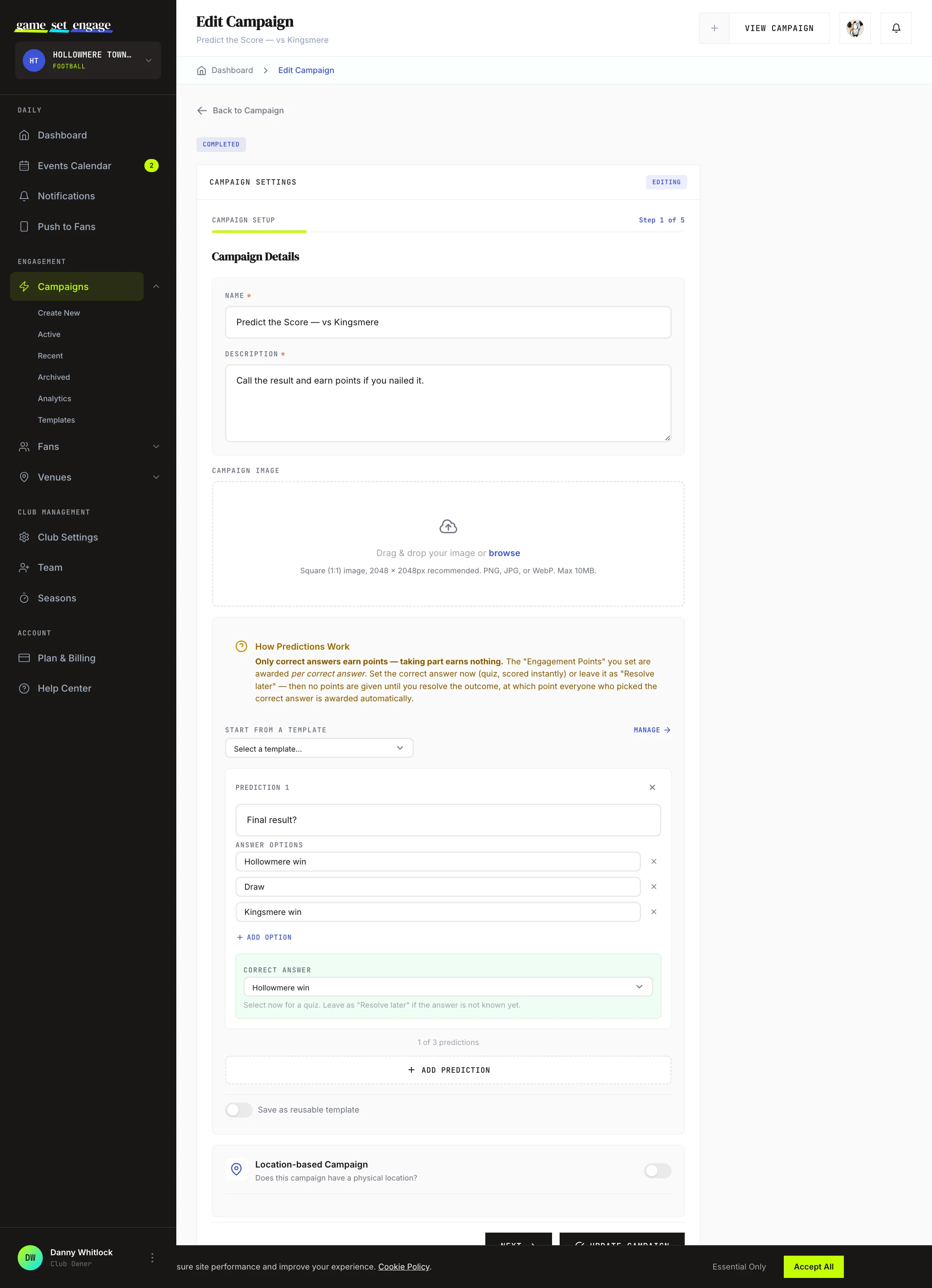
Pick the Prediction type and you get a builder tuned for predictions. The key difference is that every prediction question carries a correct answer — that's how Game Set Engage knows who to reward.
For each prediction, write the question, list the possible outcomes, and decide when the answer is known:
- Set the correct answer now — for a quiz where the answer already exists, points are awarded the moment a fan answers correctly.
- Resolve later — for a result that isn't known yet (the final score, the first goalscorer). No points are given until you confirm the outcome after the match.
Important: With predictions, taking part earns nothing on its own. Only correct answers earn points. The engagement points you set are awarded per correct answer, so a fan who gets two predictions right earns twice the points of a fan who gets one right.
Resolving predictions after the match
When you used Resolve later, the campaign waits for you to confirm the outcome. Open the campaign page and you'll find the Predictions panel.
It splits your predictions into two groups:
- Awaiting Result — predictions still waiting for you to pick the outcome
- Resolved — predictions you've already settled, with the correct answer shown
To settle a prediction:
- Find it under Awaiting Result
- Choose the correct outcome from the dropdown
- Click Resolve & Award Points
Game Set Engage then awards the points to every fan who picked that answer, instantly. The panel tells you the points each correct prediction is worth before you confirm.
Important: Resolving locks the answer. Once you set the correct outcome for a prediction, it can't be changed, and points are paid to the fans who got it right. Double-check the result before you resolve.
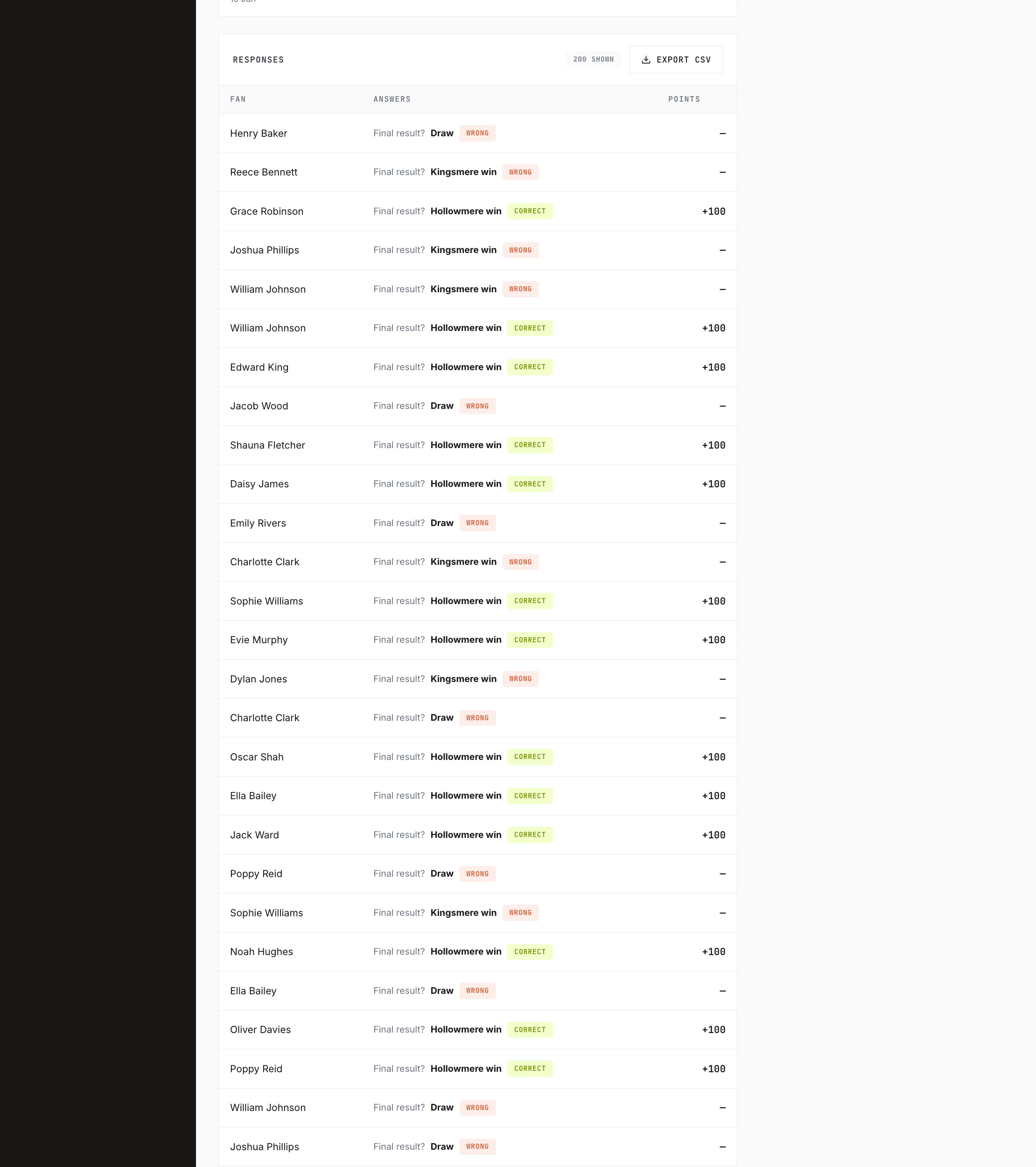
Viewing responses on the campaign page
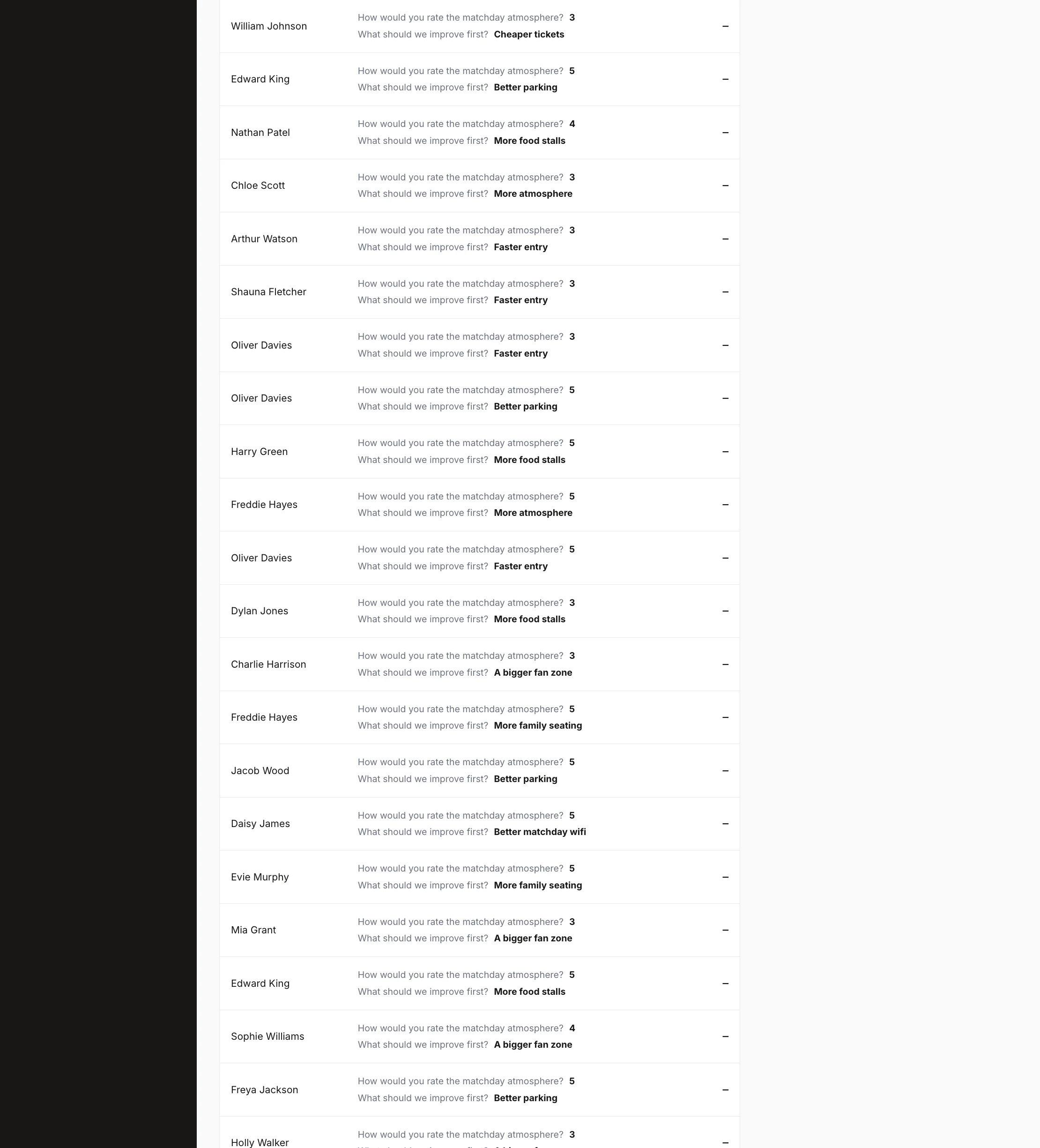
Open any survey or prediction campaign and scroll to the Responses panel. It lists every fan, the answer they gave to each question, and the points they earned.
For prediction questions, each answer carries a label so you can read results at a glance:
| Label | Meaning |
|---|---|
| Pending | The result isn't resolved yet, so the answer isn't graded |
| Correct | The fan picked the right outcome |
| Wrong | The fan picked a different outcome |
Survey answers have no label — there's no right or wrong, just the fan's choice.
Exporting responses to CSV
Need the raw data for a sponsor report or a deeper look in a spreadsheet? Use the Export CSV button in the Responses panel.
The file gives you one row per fan, with:
- The fan's name, plus their email address on City plans and above for fans who still follow your club
- When they took part
- Their answer to each question
- For predictions: the result and how many they got right
- The total points they earned
This is the same data you see on screen, ready to open in any spreadsheet tool.
Tip: Export after you've resolved every prediction. The CSV reads the final, graded results, so you get the complete picture in one file.
What's next
- Campaign types explained — see how surveys and predictions fit alongside the other campaign types
- Creating your first campaign — the full builder, step by step
- Campaign analytics and reports — measure participation and points across all your campaigns
- Understanding your fans — turn responses into a picture of who's engaging