Get to know your supporters
Every fan who subscribes to your club in the Game Set Engage mobile app shows up in your dashboard. The Fans area is where you see who they are, how many points they've earned with you, and how active they've been. Use it to spot your most engaged supporters, track how your fanbase is growing, and find a specific fan in seconds.
This guide walks through the four screens under Fans: the full list, search, an individual fan's profile, and the reports.
Note: A fan appears in your Fans area once they have an active subscription to your club. Fans join and subscribe in the mobile app, so the list fills up as supporters discover and follow you.
Browse all your fans
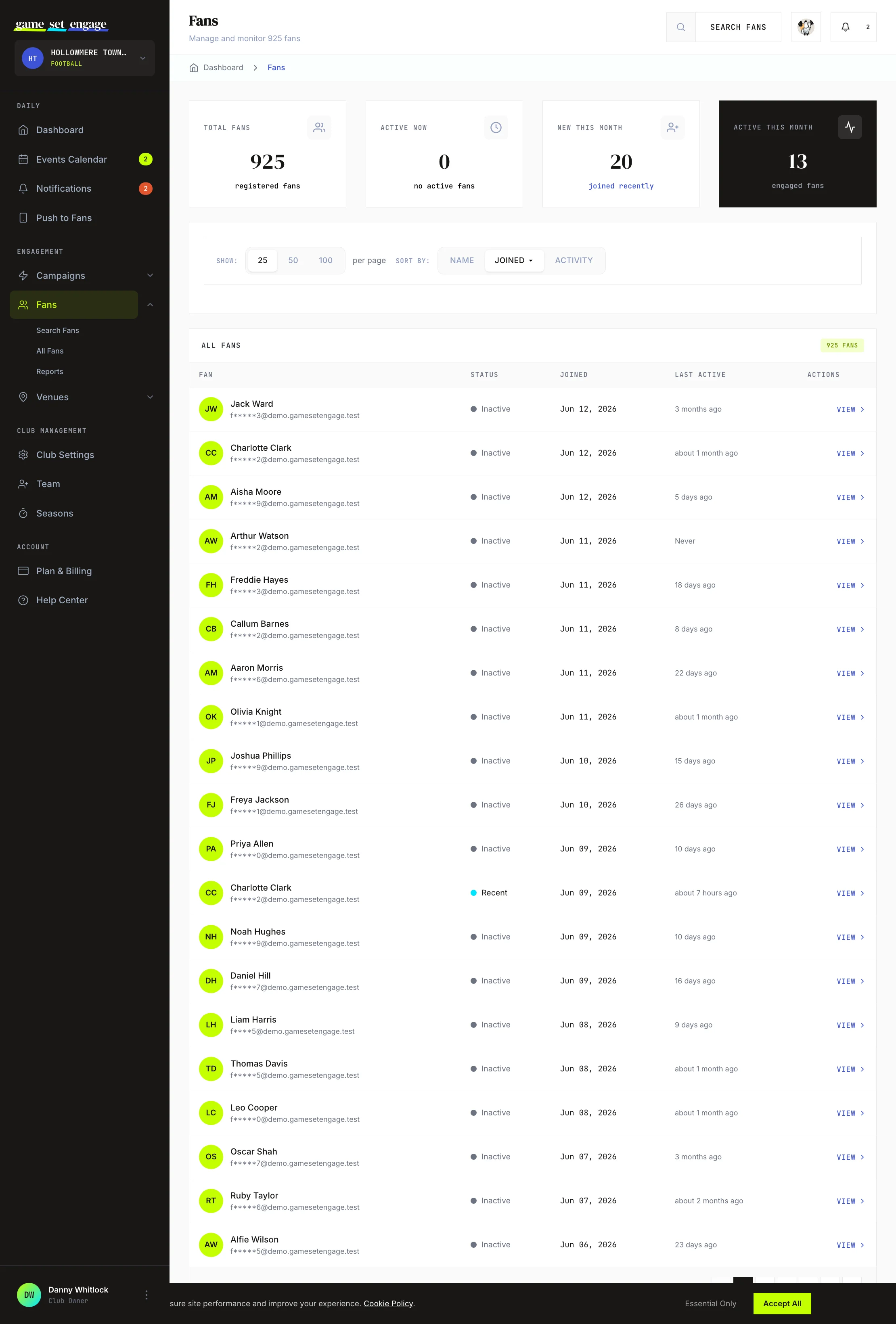
Open Fans → All Fans from the sidebar to see everyone subscribed to your club. At the top, four stat cards give you the headline numbers at a glance:
- Total Fans — everyone subscribed to your club
- Active Now — fans who signed in within the last hour
- New This Month — fans who joined in the last 30 days
- Active This Month — fans who signed in within the last 30 days
Below the cards, the table lists each fan with their name, status, the date they joined, and when they were last active. A status dot tells you who's around: Active (signed in within the hour), Recent (within the day), or Inactive.
Sort and page through the list
The controls panel above the table lets you shape the view:
- Show — switch between 25, 50, or 100 fans per page
- Sort by — order the list by Name, Joined date, or Activity (last sign-in). Click the same option again to flip between ascending and descending.
To open any fan's full profile, use the View link at the end of their row.
Search for a specific fan
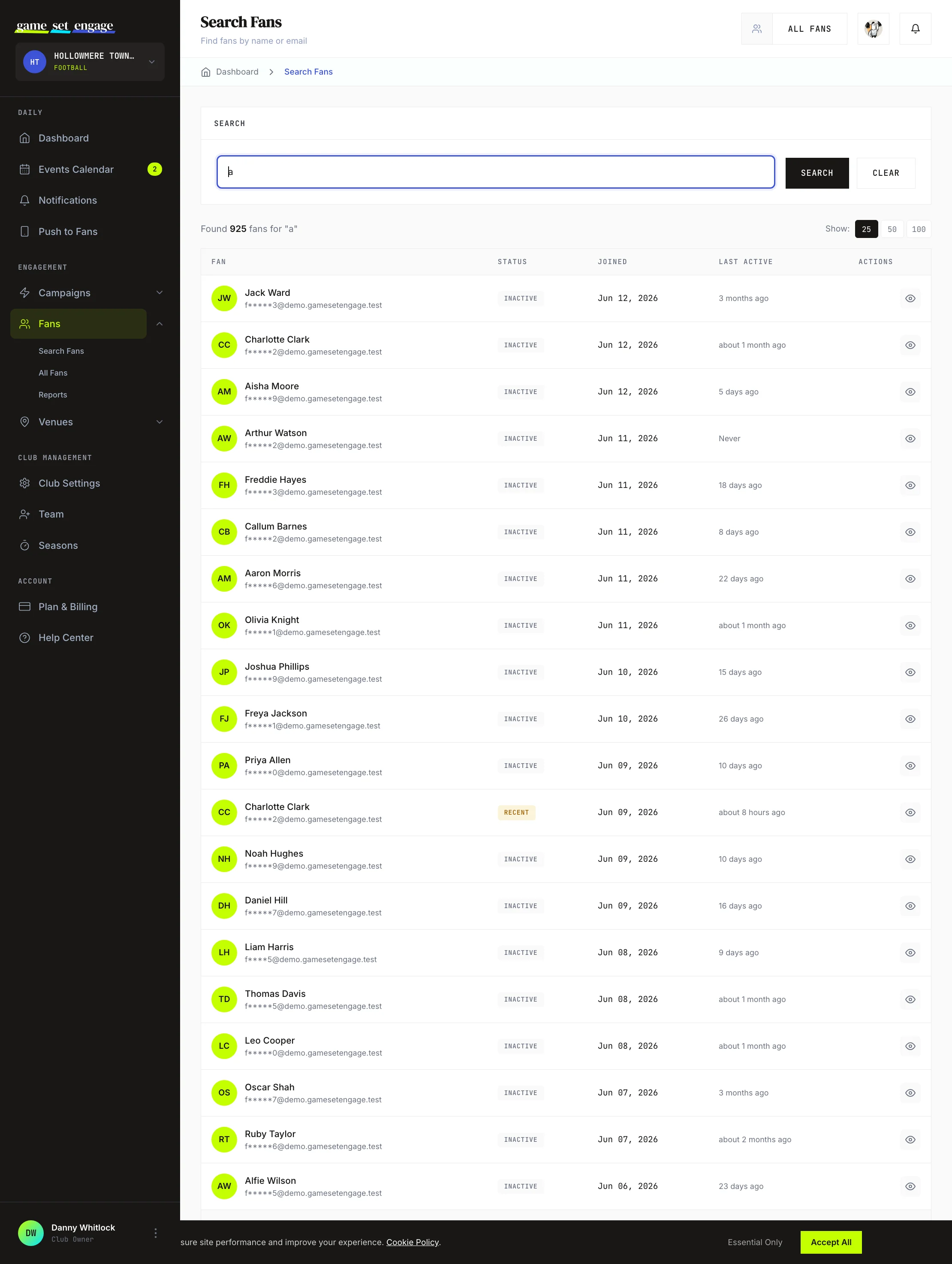
When you're looking for one person, use Fans → Search Fans. Type a name or an email address and the results update without a full page reload.
- Open Search Fans from the sidebar
- Type a full name (for example, "John Smith"), part of a name, or an email address
- Read the matching results in the table, with the same status, joined, and last-active columns as the full list
- Use Clear to reset and start a new search
Partial matches work, so you don't need the exact spelling to find someone.
View a fan's profile
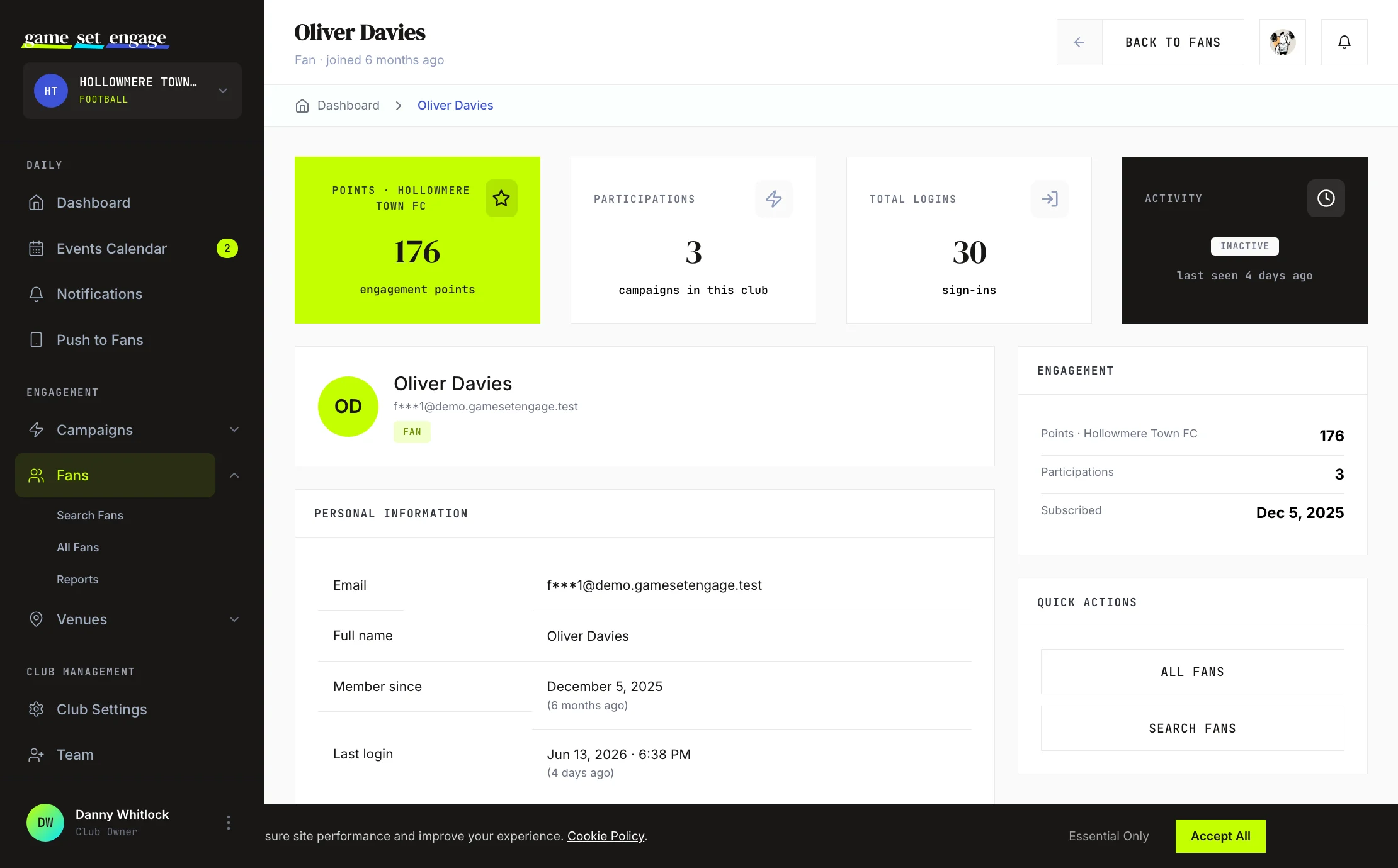
Click View on any fan to open their profile. This is the single place to understand one supporter's relationship with your club. At the top, stat cards summarise their engagement:
- Points — engagement points this fan has earned with your club
- Participations — how many of your campaigns they've taken part in
- Total Logins — how many times they've signed in
- Activity — their current status and when they were last seen
The club owner also sees Venue Fees: what this fan's partner-venue check-ins and offers have earned, with an estimate of your club's share. The venue check-in and offer tables show a fee column to the owner too. Team members don't see venue money.
Below that you'll find their personal information (name, partially hidden email, member-since date, and last login) and an Engagement panel that repeats their points, participations, and the date they subscribed to your club.
Tip: A fan with a high participation count but a low recent-activity status is worth a nudge. A well-timed push notification can bring them back for the next match.
Read the fan reports
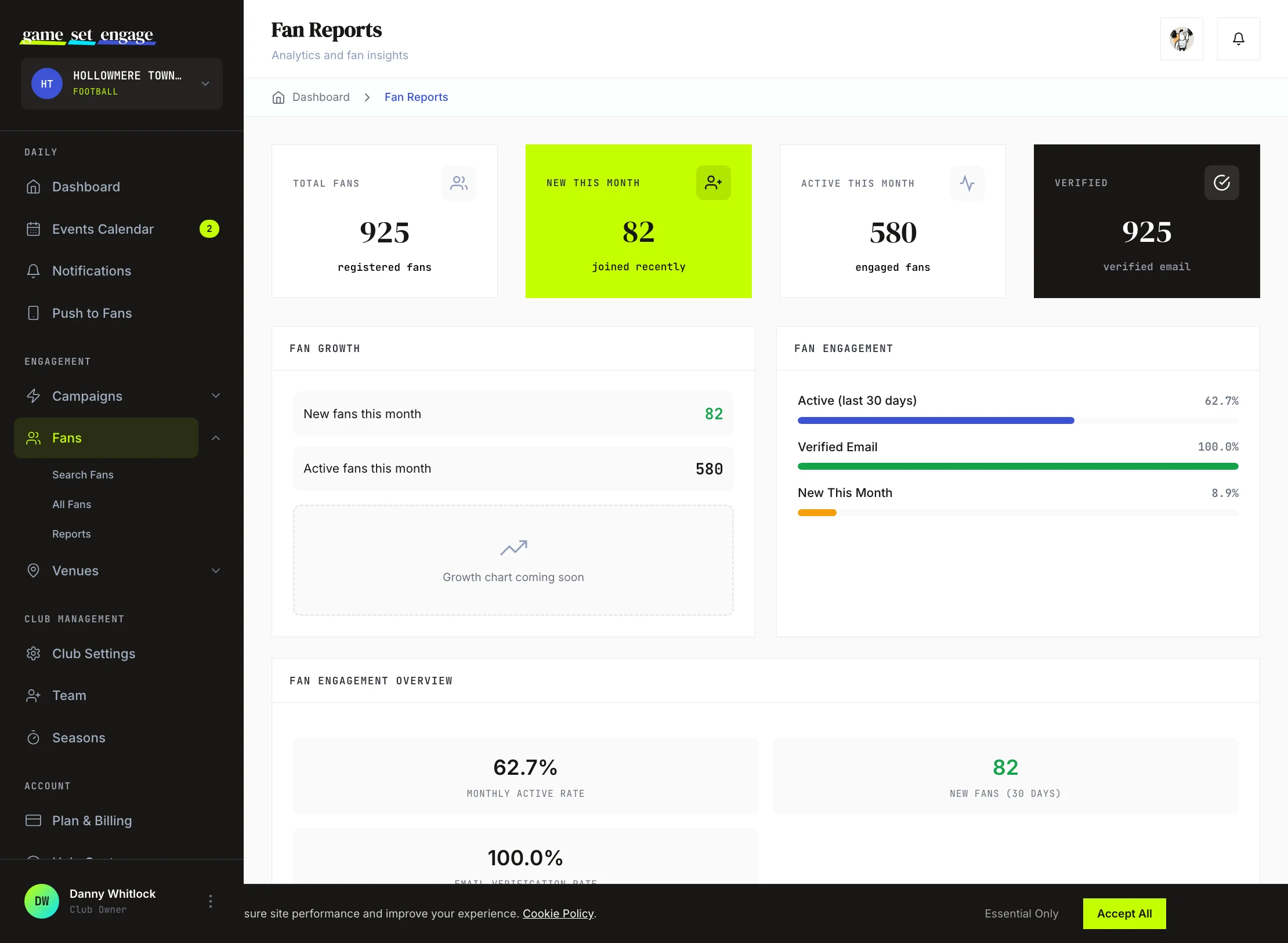
Fans → Reports turns the raw list into a picture of your community. At the top, four summary cards show Total Fans, New This Month, Active This Month, and Verified (fans who have confirmed their email).
Below the summary, two panels break down the detail:
- Fan Growth — new and active fans this month
- Fan Engagement — the share of your fans who are active in the last 30 days, who have a verified email, and who joined this month, each shown as a percentage bar
At the bottom, the Fan Engagement Overview gives you three headline rates: your Monthly Active Rate, New Fans (30 days), and Email Verification Rate. These are the numbers to watch over time to see whether your campaigns are pulling in and holding on to supporters.
What you can learn here
Put together, the Fans area answers the questions that matter most:
| Question | Where to look |
|---|---|
| How big is my fanbase? | Total Fans, on All Fans or Reports |
| Is it growing? | New This Month, on Reports |
| Who's most engaged? | Sort All Fans by Activity, or check a profile's participations |
| Are fans confirming their email? | Email Verification Rate, on Reports |
| What has one fan done with us? | Their individual profile |
What a lost fan now costs you
Watch your fan count with one thing in mind: a supporter who leaves your club can't follow you again for 90 days. Churn used to be a number you could recover inside a month. Now a dip in Total Fans is a dip you're stuck with until the next quarter, whatever you do about it.
Their points don't disappear — they stay banked with your club, waiting for the fan to come back and spend them. So a returning supporter picks up where they left off rather than starting at zero. They just can't return early.
The practical read: treat a falling fan count as urgent rather than seasonal, and go look at what you sent that week before you look at anything else.
What's next
- Push notifications to fans — reach your supporters on their phones
- Campaign analytics and reports — see which campaigns drive the most engagement
- Events calendar and team notes — plan the fixtures fans turn up for
- Creating your first campaign — give fans a reason to take part