One club, many audiences
Your fans are not one crowd. Some check in at every home match, some watch from the same pub every week, some joined last Tuesday and are still finding their feet. A message that lands with one group is noise to another.
Fan Segments let you group fans by rules — points earned, campaigns joined, how long they've been members, demographics they've chosen to share — and then send a push notification to just that group. A segment is never a frozen list: fans move in and out automatically as their data changes.
Note: Fan Segments are available on the City, National, and Global plans. On the free Local plan the Segments page and segment targeting are not available.
Step 1: Start a segment
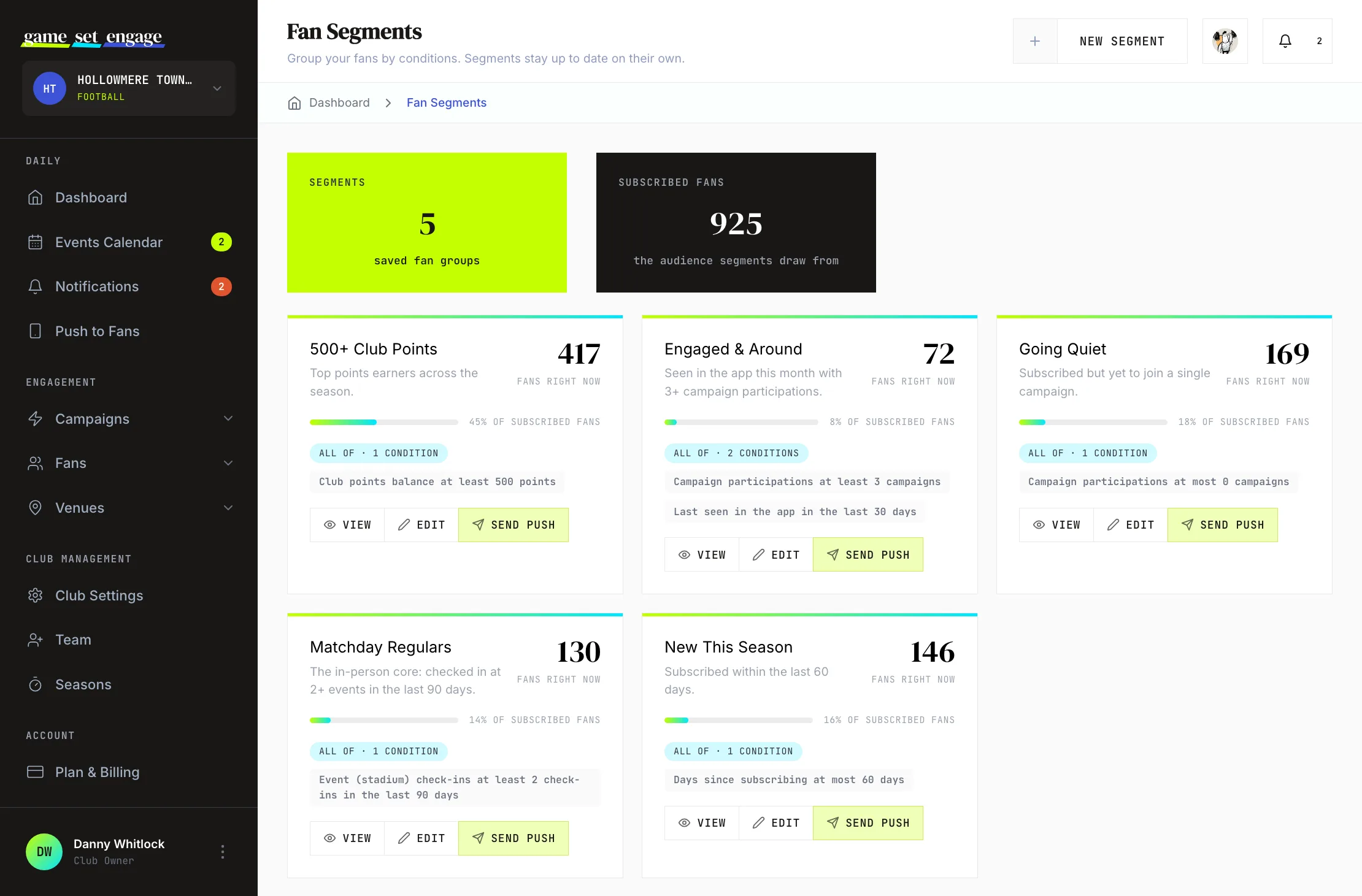
Open Segments from the sidebar, then New Segment. Give it a name your team will recognise later — "Matchday regulars" beats "Segment 3" — and an optional description.
Then pick how your conditions combine:
- Match all — a fan must satisfy every condition (this AND that)
- Match any — a fan needs at least one condition (this OR that)
Step 2: Add conditions
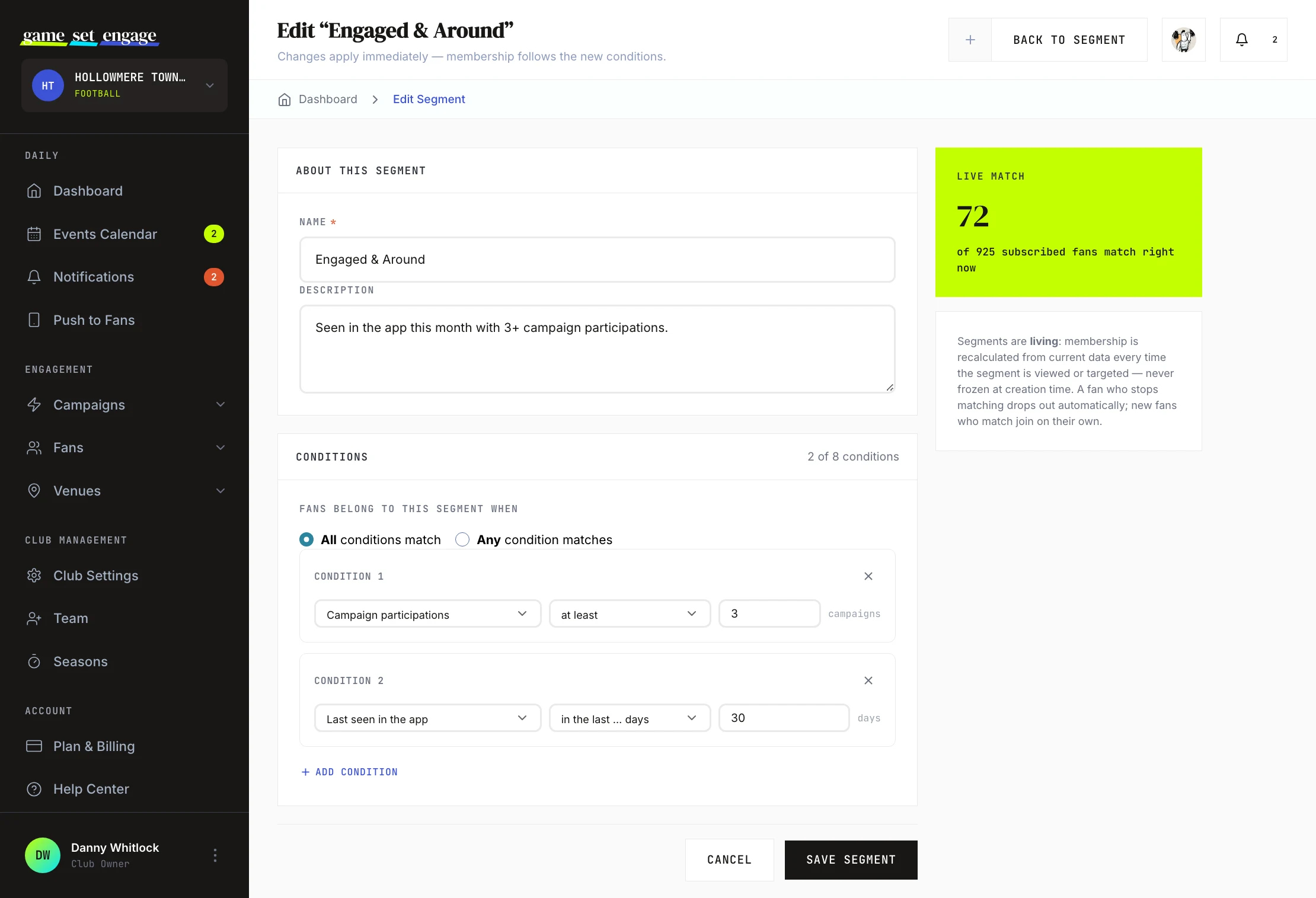
Build the segment from up to 8 conditions, picked from three groups:
| Group | What you can filter on |
|---|---|
| Engagement | Club points balance, campaign participations, a specific campaign, a campaign type, last participation, venue deals redeemed, event (stadium) check-ins, partner venue check-ins, campaigns with correct predictions |
| Membership | Days since subscribing, last seen in the app |
| Profile | Age, gender, country, city, employment, education, household income, where they watch, season-ticket holder, birthday month, fan since, and more |
Many activity conditions take an optional time window — "event check-ins in the last 90 days" asks a different question than "event check-ins ever".
Note: Profile conditions only match fans who have completed your club's Extended Profile survey — demographics they've chosen to share with you. Fans who haven't filled it in never match a Profile condition. Engagement and Membership conditions apply to all of your subscribed fans.
Step 3: Watch the live preview
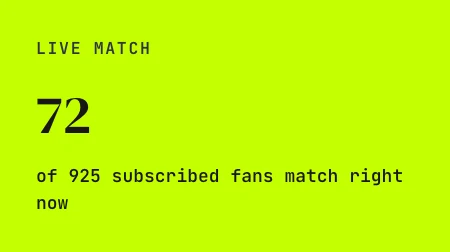
As you add and edit conditions, the builder shows a running count — how many of your subscribed fans match right now. It updates as you type, so you can widen or tighten the rules until the group is the size you expect before you save anything.
If the count is zero, loosen a threshold or switch from match-all to match-any; if it's basically everyone, your conditions aren't narrowing much yet.
Step 4: Save — and let it stay fresh
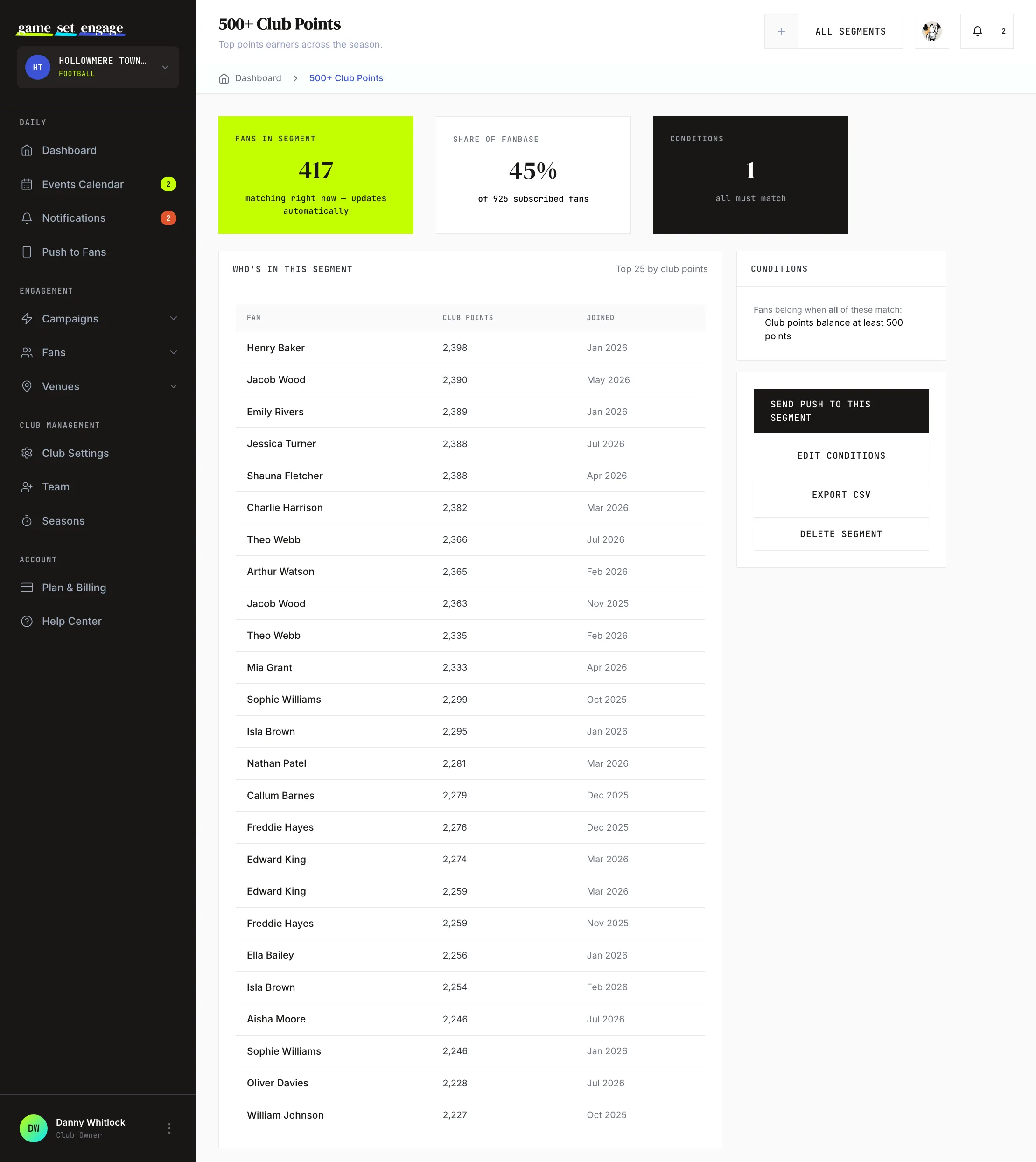
Save the segment and you're done maintaining it. Membership is worked out from current data every time the segment is used — there is no list to refresh and no sync button. A fan who crosses 500 points tonight is in your "500+ points" segment tomorrow morning without anyone touching anything.
The segment's own page shows the current member count and a sample of members, so you can sanity-check that the rules capture who you meant.
Send a push to a segment
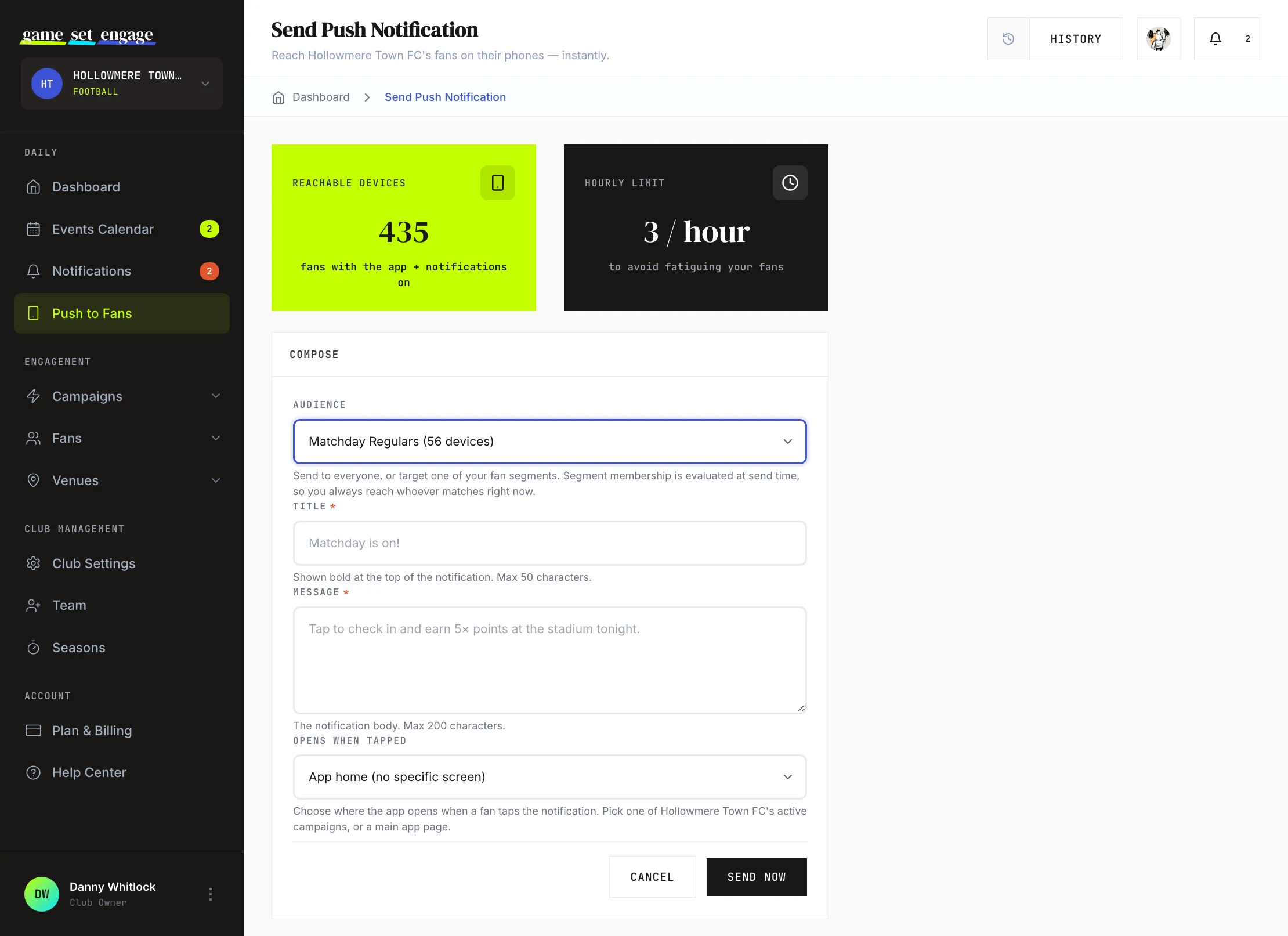
On Push to Fans → Send Notification, the Audience menu lists all your segments alongside "All subscribed fans", each with a live reachable-device count. Pick a segment and only its current members are considered for the send.
Membership is evaluated at send time — whoever matches the rules at the moment you hit send is who the notification goes to. Your Send History records the audience of every send, so you can always see which group a past notification went to.
Export a segment as CSV
A segment doesn't have to stay inside the platform. On the segment's page, Export CSV downloads its current members — the same live rule resolution as everywhere else, so the file reflects exactly who matches at the moment you export.
Each row is one fan, with seven columns: name, email address, club points, campaign participations, subscribed since, last seen and tags. Full email addresses only appear in CSV exports on paid plans, here and in survey, quiz and prediction response exports; everywhere else in the dashboard they stay partially hidden. That makes this the export for running your own email campaign from your own tools: a matchday newsletter, a members' offer, a season wrap-up.
Note: The exported list is yours to use responsibly. Lawful use — including honouring opt-outs — is your club's responsibility under your local rules and the platform privacy policy.
Segment ideas to steal
- Matchday regulars — event (stadium) check-ins in the last 90 days, 3 or more. Your in-person core: first to hear about matchday campaigns.
- Going quiet — last participation more than 30 days ago. Fans drifting away; a well-timed campaign invite can bring them back.
- New this month — days since subscribing, 30 or fewer. Welcome them and point them at an easy first campaign.
- Prediction sharps — campaigns with correct predictions, 2 or more. The fans who love the game inside the game.
- Birthday this month — birthday month matches the current month. A small gesture fans remember.
Limits worth knowing
- Up to 25 segments per club, and 1 to 8 conditions per segment.
- Segments drive push notifications and CSV exports — they are how you aim a send or build a mailing list, and fans never see which segments they're in.
- Available on City, National, and Global plans.
Why over-sending costs more than it used to
Aiming a send badly used to cost you an unfollow you could win back next week. It doesn't any more. A fan who leaves your club can't follow you again for 90 days — so a mistimed 6am push or a fortnight of daily sends now costs you a quarter of that supporter's season, not an afternoon.
The points they earned stay banked with your club the whole time, waiting for them. That's genuinely good news for the fan, and it's worth saying out loud if one asks. It just isn't a reason to test their patience: they can't spend those points until they come back, and they can't come back early.
Segments are the fix rather than the risk here. A send aimed at the 300 fans who actually care about a fixture is the version nobody leaves over.
What's next
- Push notifications to fans — the full guide to composing and timing your sends
- Understanding your fans — the reports behind the numbers your rules filter on
- Surveys and predictions — run an Extended Profile survey so Profile conditions have data to work with
- Plan, billing and upgrades — moving up from the Local plan