What your venue network earns you
Every time a fan checks in at a partner venue, the venue pays your club a small per-check-in fee. Offer redemptions are billed separately, on their own per-redemption fee that you set — the two are not the same charge, and a fan who checks in and claims an offer generates both. Together they add up across your network into a revenue stream for your club, on top of the engagement you get from fans taking part. Your dashboard tracks it automatically, so you always know what your partnerships are worth.
This guide covers the three screens that handle the money side of venue partnerships: Earnings, Reports, and Offer Settings. For the club owner, all three sit under the Venues menu in your dashboard sidebar. Earnings and Reports are for the owner only, and team members don't see the fees venues have run up, your earnings or payouts anywhere. They find Offer Settings under Venue Partners and can set the per-redemption fee there, and they can set a campaign's per-check-in fee in the campaign builder.
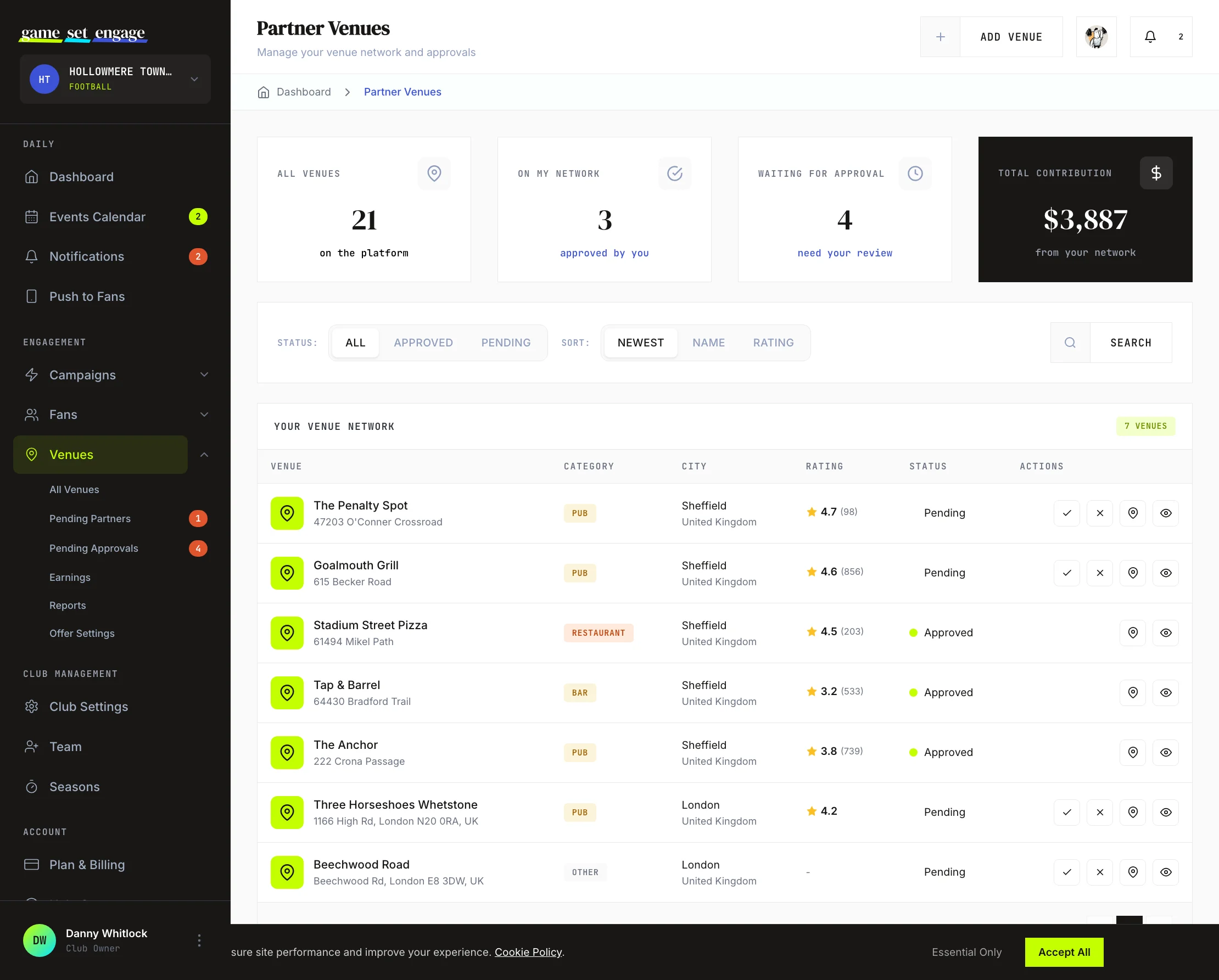
The Earnings screen
Open Venues → Earnings to follow your venue money through its whole journey. The four stat cards across the top are the four stages every dollar moves through:
- Accruing — fees from approved check-ins and offer redemptions that haven't been invoiced yet. This grows live during the month.
- Invoiced — your share of the invoices venues have received and not yet paid.
- Awaiting Transfer — the venue has paid; your share is on its way to your bank account.
- Transferred — everything already paid out to you, all time.
How the money flows
On the 1st of each month, every partner venue automatically receives a single invoice covering everything it owes from the previous month — all its check-ins and offer redemptions, itemized. Venues pay online by card. If a venue also partners with other clubs, that's still one invoice for the venue, and your club's amounts are itemized separately — you only ever see your own share.
Game Set Engage keeps a commission from your share; the rate depends on your plan, so bigger plans keep more:
| Your plan | Commission | You keep |
|---|---|---|
| Local | 30% | 70% |
| City | 20% | 80% |
| National | 15% | 85% |
| Global | 10% | 90% |
Once a venue pays its invoice, your share appears under Awaiting Transfer and is then sent to your club's bank account. You get an email confirmation for every transfer, with the amount, the source venue, and the billing period.
Before your first payout: add your bank details (bank name, account holder, IBAN) under Billing → Billing Details → Payout details — that's the account we wire your share to. The Earnings screen reminds you if they're missing. See Plan, billing and upgrades.
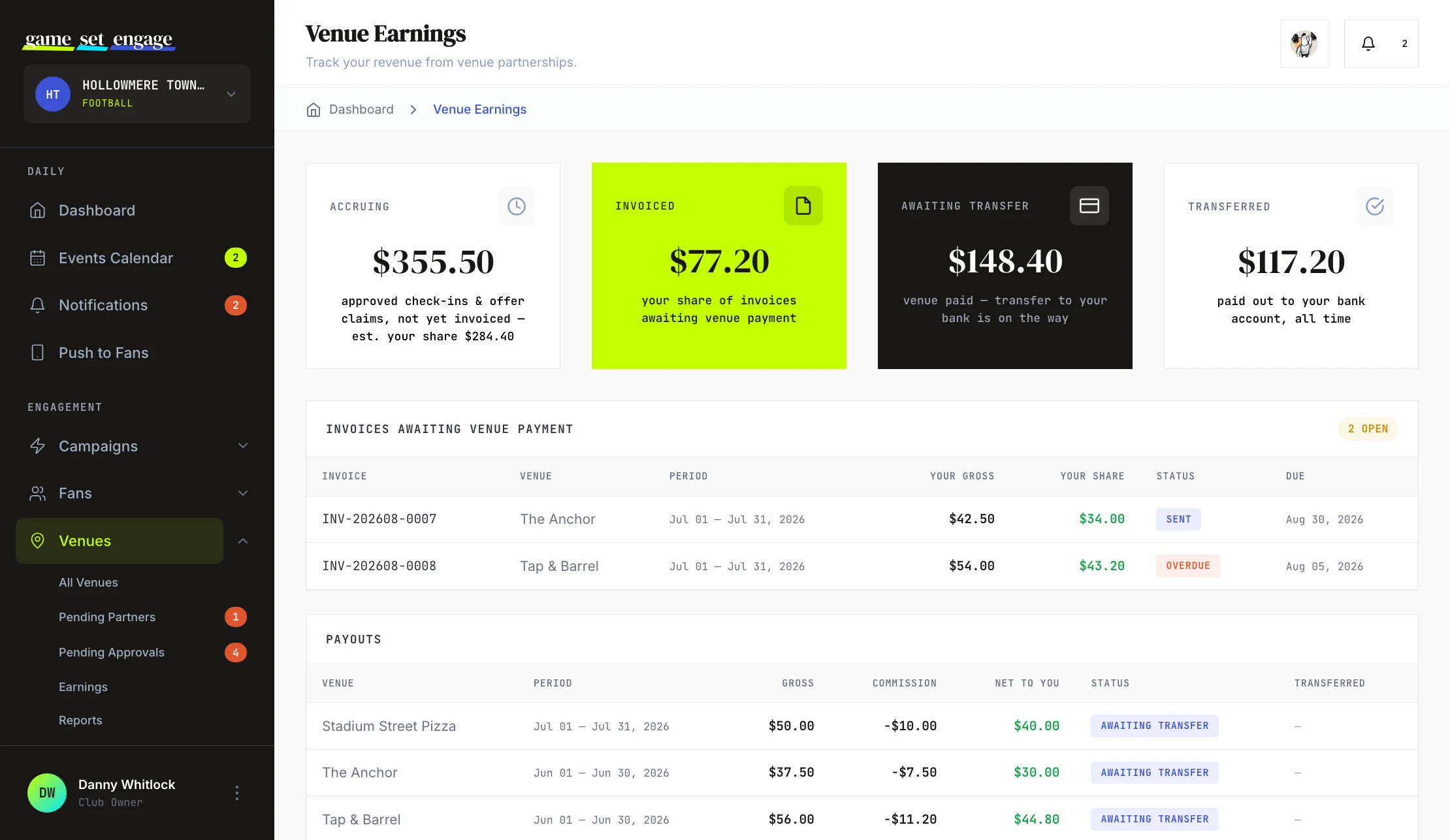
Open invoices and payout history
Two tables below the stats show the detail behind the numbers. Invoices Awaiting Venue Payment lists each open invoice with the venue, the billing period, your gross, your share, and the due date — overdue invoices are flagged in red. Payouts is your money-received ledger: each row shows the source venue, period, gross, commission, the net amount to you, and whether it has been transferred yet, with the transfer date once it lands.
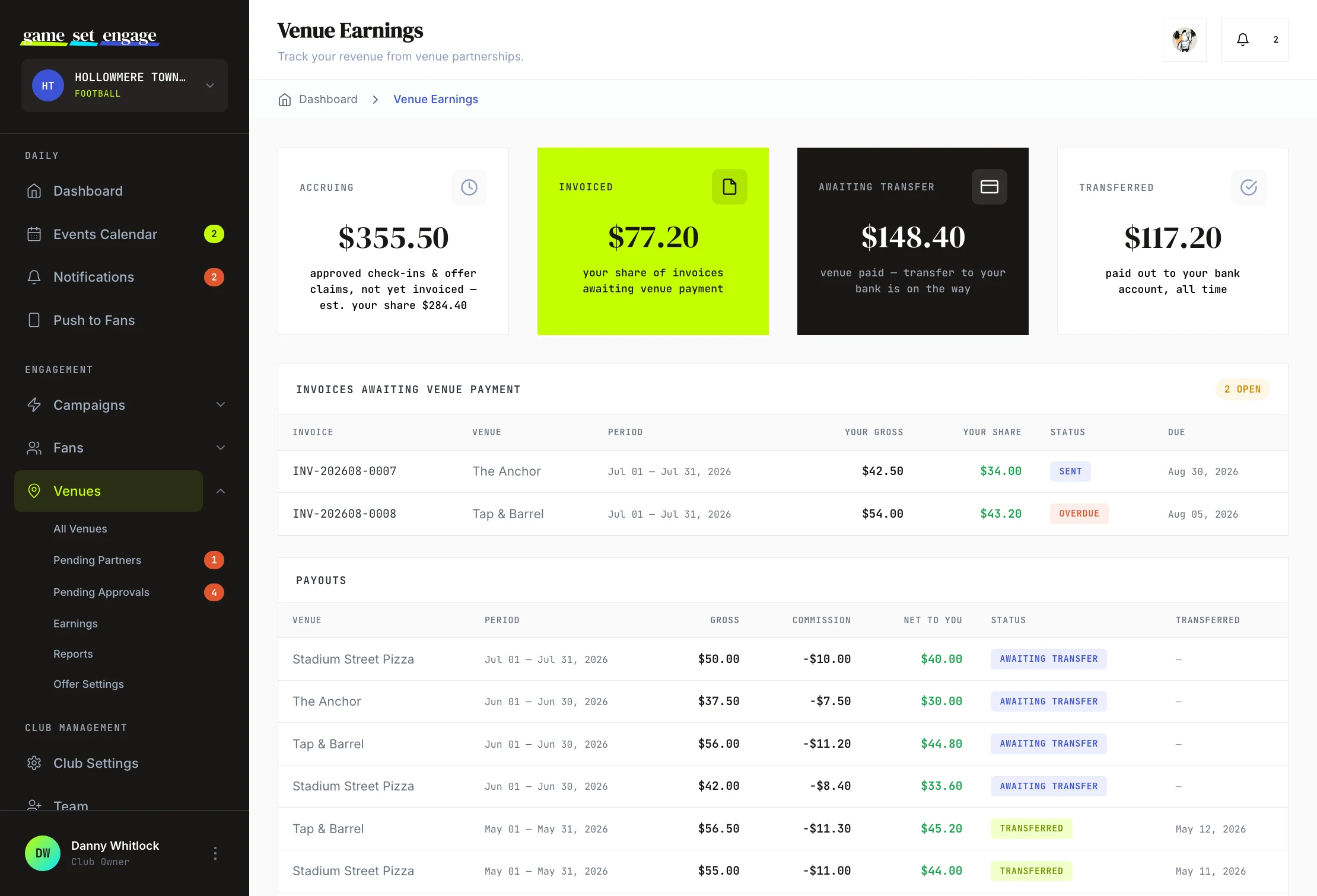
Tip: The payouts table is the quickest way to spot your strongest partners — the venues that keep appearing with healthy net amounts are the relationships worth deepening, and the kind worth adding more of across your city.
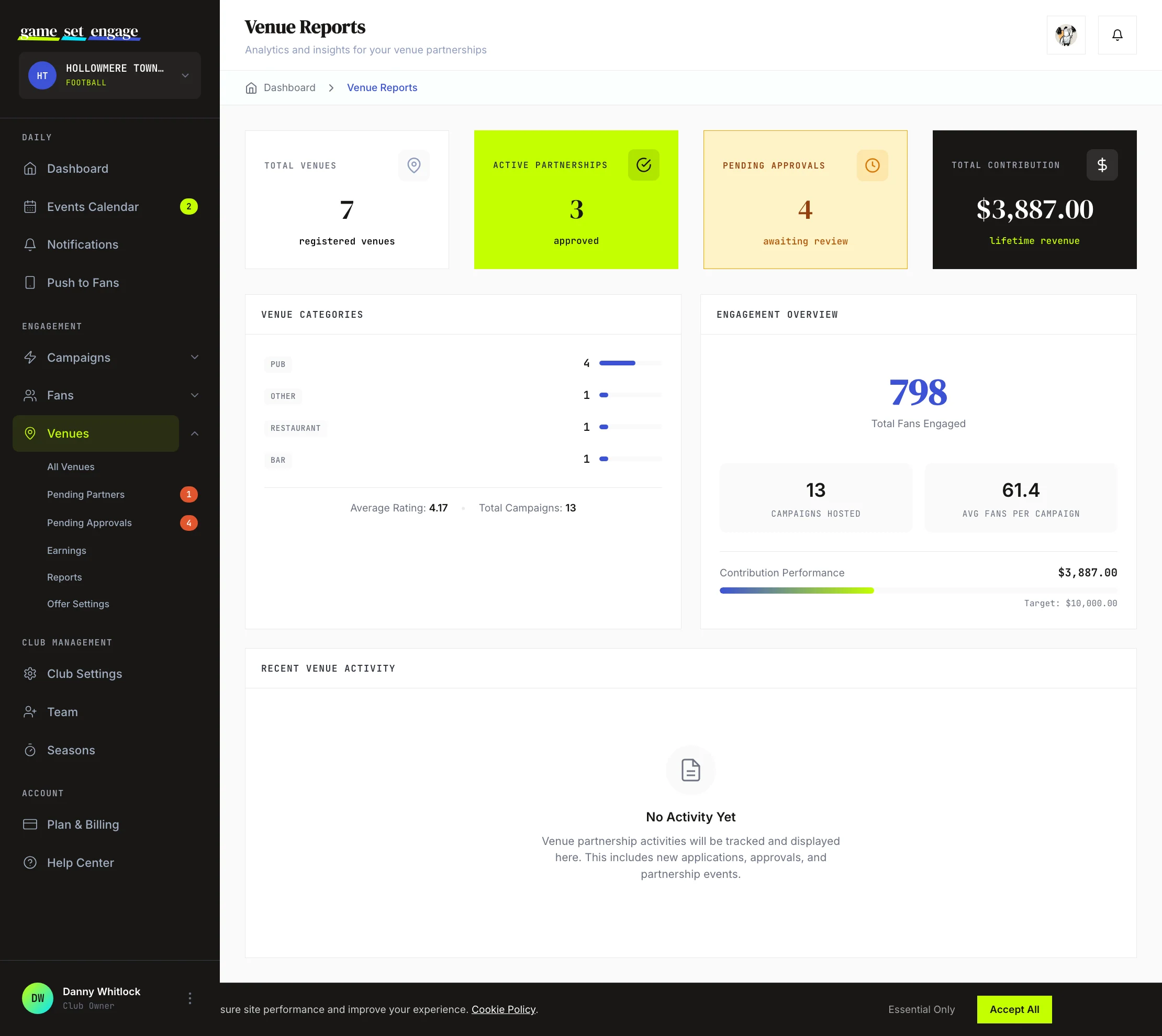
The Reports screen
Open Venues → Reports for a wider view of your partnership network beyond the money. The stat cards summarize your total venues, active partnerships, partnership requests still waiting for your team (the Pending Approvals card), and total contribution.
The screen then breaks down:
- Venue Categories — how your network splits across pubs, bars, restaurants, and other types, with your average venue rating and total campaigns
- Engagement Overview — total fans engaged, campaigns hosted, average fans per campaign, and contribution performance against a target
Reports is the screen to check when you want to understand the shape of your network rather than a single venue's payout. It answers questions like whether you're concentrated in one venue type and how engagement is trending as you add partners.
Offer Settings
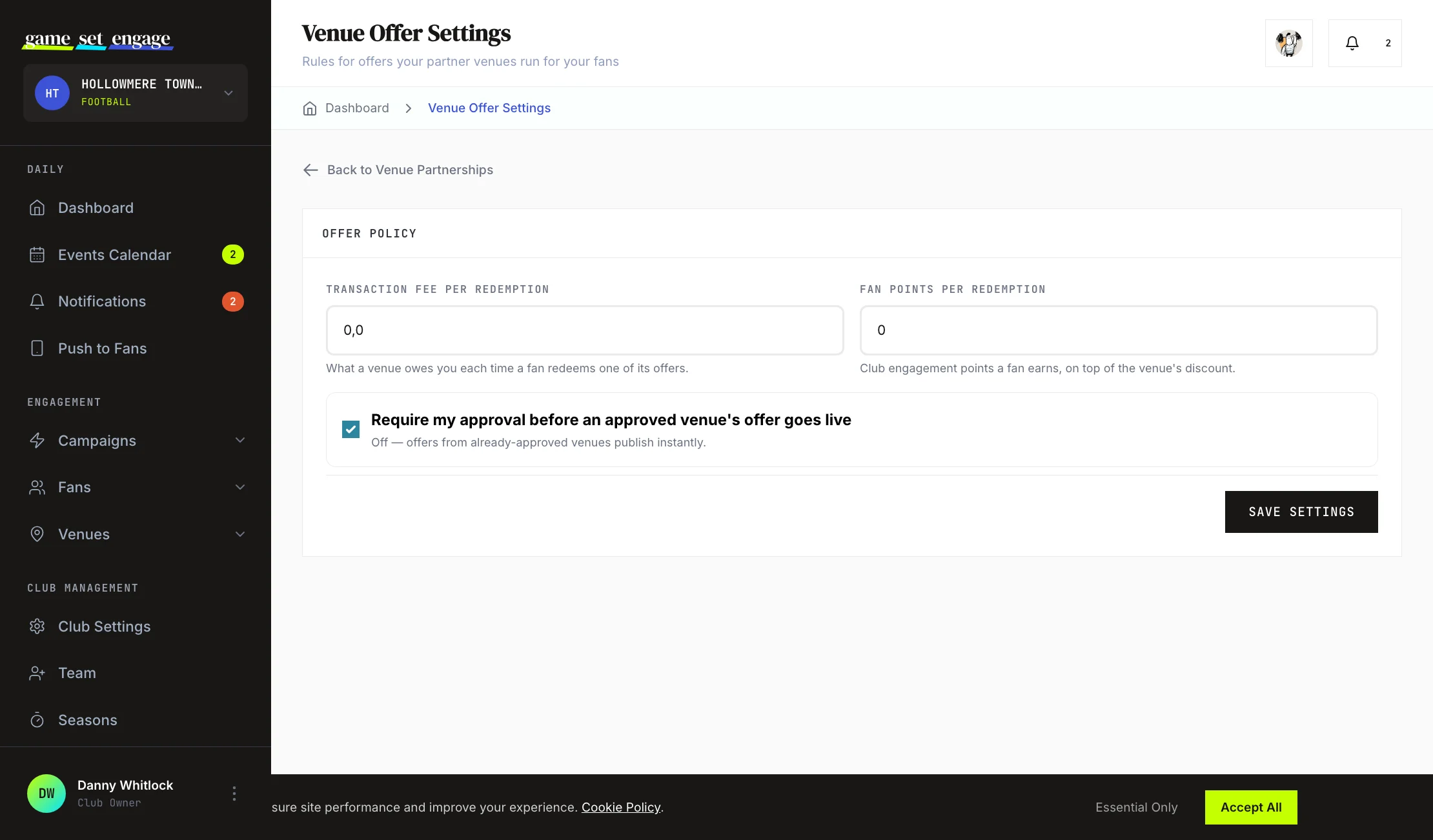
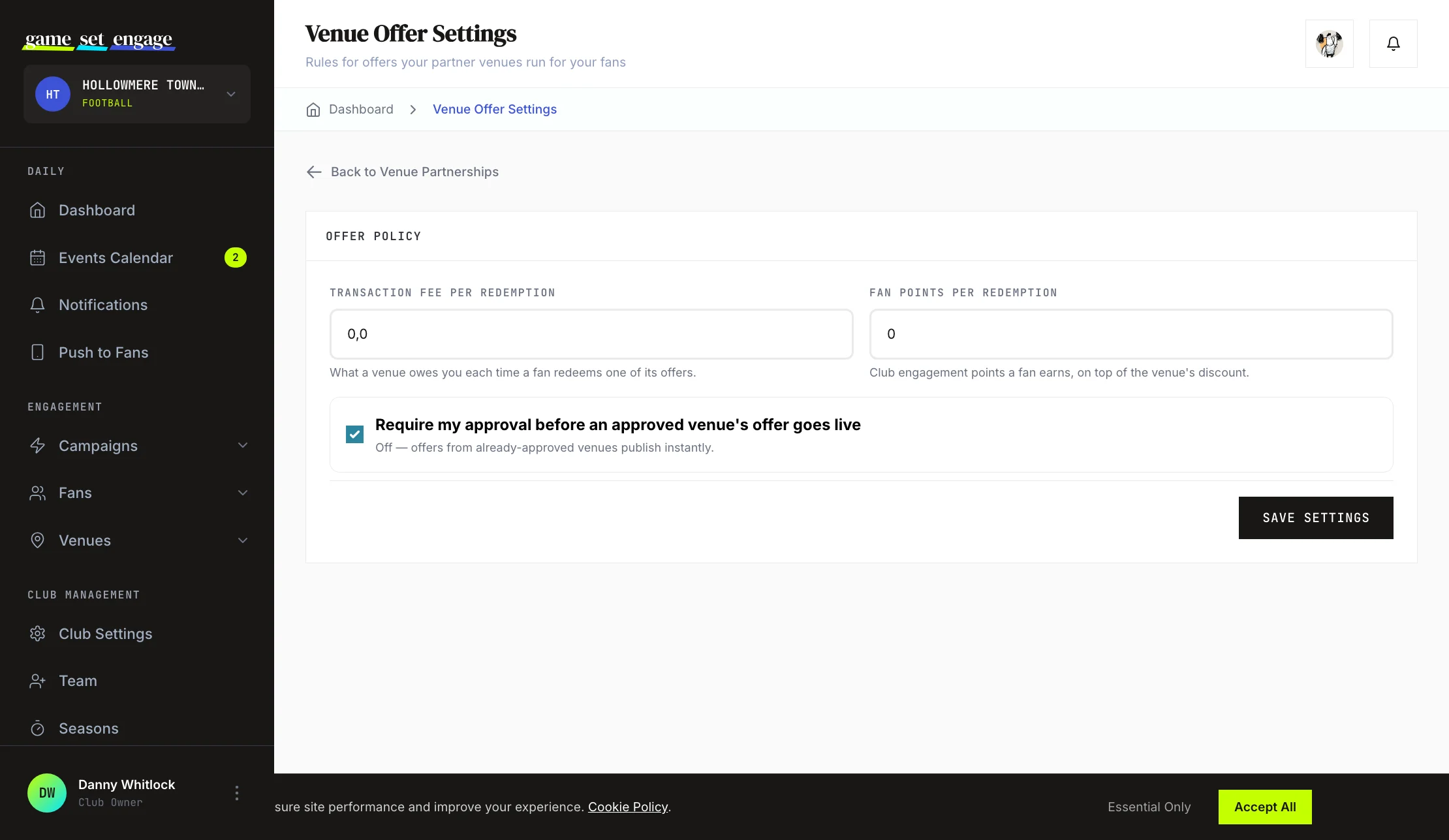
Approved partner venues can run their own routine offers for your fans, such as a midweek discount, separate from match-day check-ins. Offer Settings is where you set the rules that apply to those offers. Open Venues → Offer Settings to find the Offer Policy form.
You control three things:
- Transaction fee per redemption — what a venue owes your club each time a fan redeems one of its offers
- Fan points per redemption — the club engagement points a fan earns when they redeem an offer, on top of the venue's discount
- Require my approval before an approved venue's offer goes live — a toggle that decides whether you sign off on each offer first
When the approval toggle is off, offers from venues your club has already approved as partners publish instantly. When it's on, each new offer waits for your review before fans can see it. Set the fee and points to match how you want to value these offers, then select Save settings.
Reviewing offers that need approval
If you've turned approval on, new offers appear in the Venue Offers section of the Pending Partners screen. Each offer shows the venue, the offer title, the discount, the days it runs, and its status. Approve an offer to publish it for your fans, or reject it if it doesn't fit. Offers you publish move to a "Live" status and become visible to fans in the mobile app.
This keeps you in control of what your fans see while still letting partners bring their own incentives to the table.
What's next
You now know how the money and offers work. From here:
- Building your venue partner network — review and approve the venues behind these earnings
- Your offers and your monthly invoice — the same fees seen from your venue partner's side, worth reading before you set them
- Approving check-ins at your venue — what you're asking venue staff to do at the counter
- Creating your first campaign — set up the check-in campaigns that drive contributions
- Campaign analytics and reports — track how your campaigns perform overall
- Plan, billing and upgrades — manage your club's plan as your network grows