Welcome to Game Set Engage
Game Set Engage is a fan engagement platform for sports clubs of every size. Whether you run a weekend amateur team or a national organisation, you get the same core tools to reach your supporters and turn match days into revenue.
This guide takes you from a blank account to your first live campaign. Set aside about 30 minutes and work through it in order.
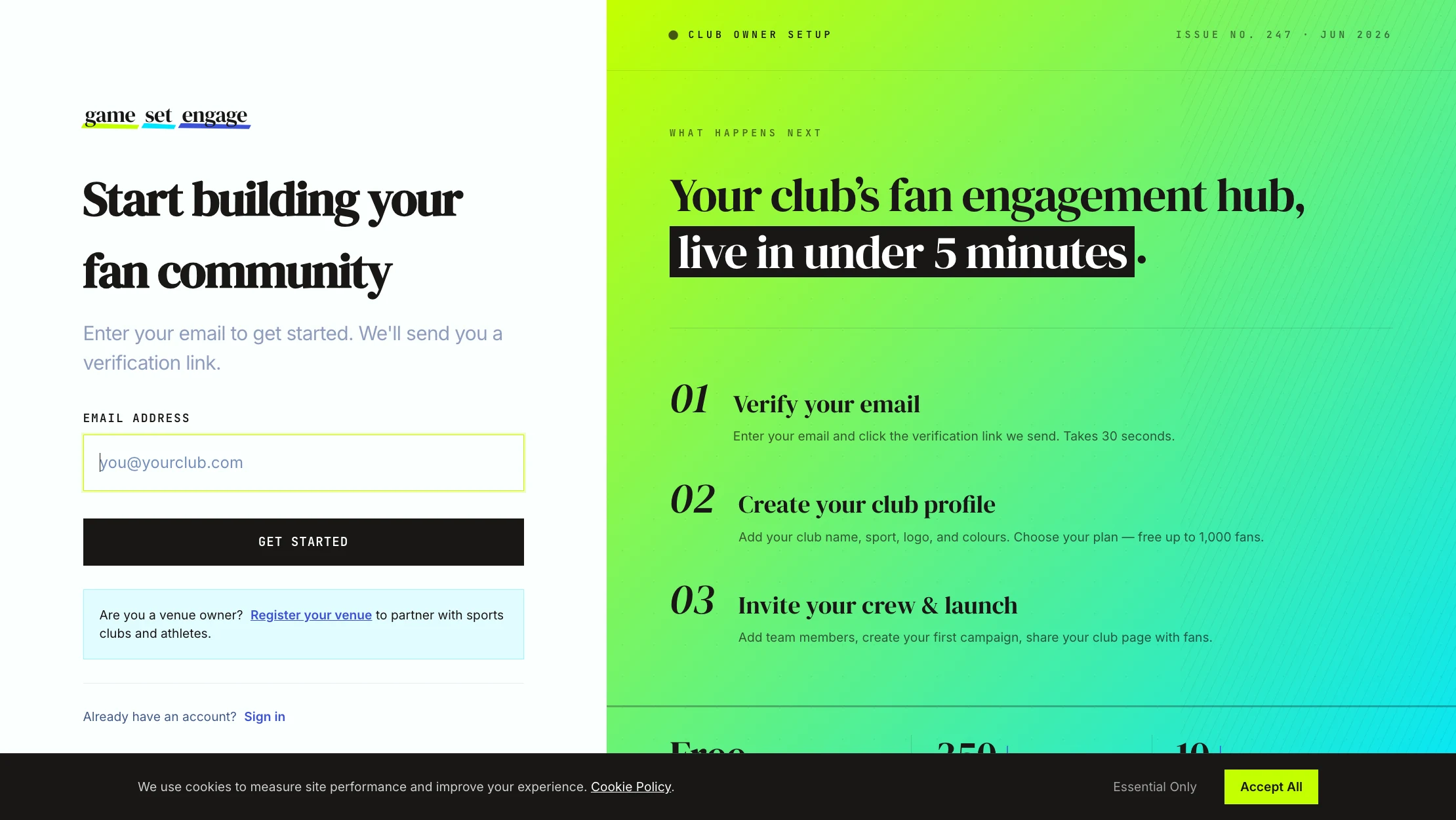
Step 1: Create your club account
Head to the club sign-up page and start with your email address. We send a verification link so we know it's really you.
- Enter your email on the "For Clubs" sign-up screen
- Open the verification email and click the link
- Set your name and password, then accept the Terms of Service and Privacy Policy
- You're signed in and ready to build your club
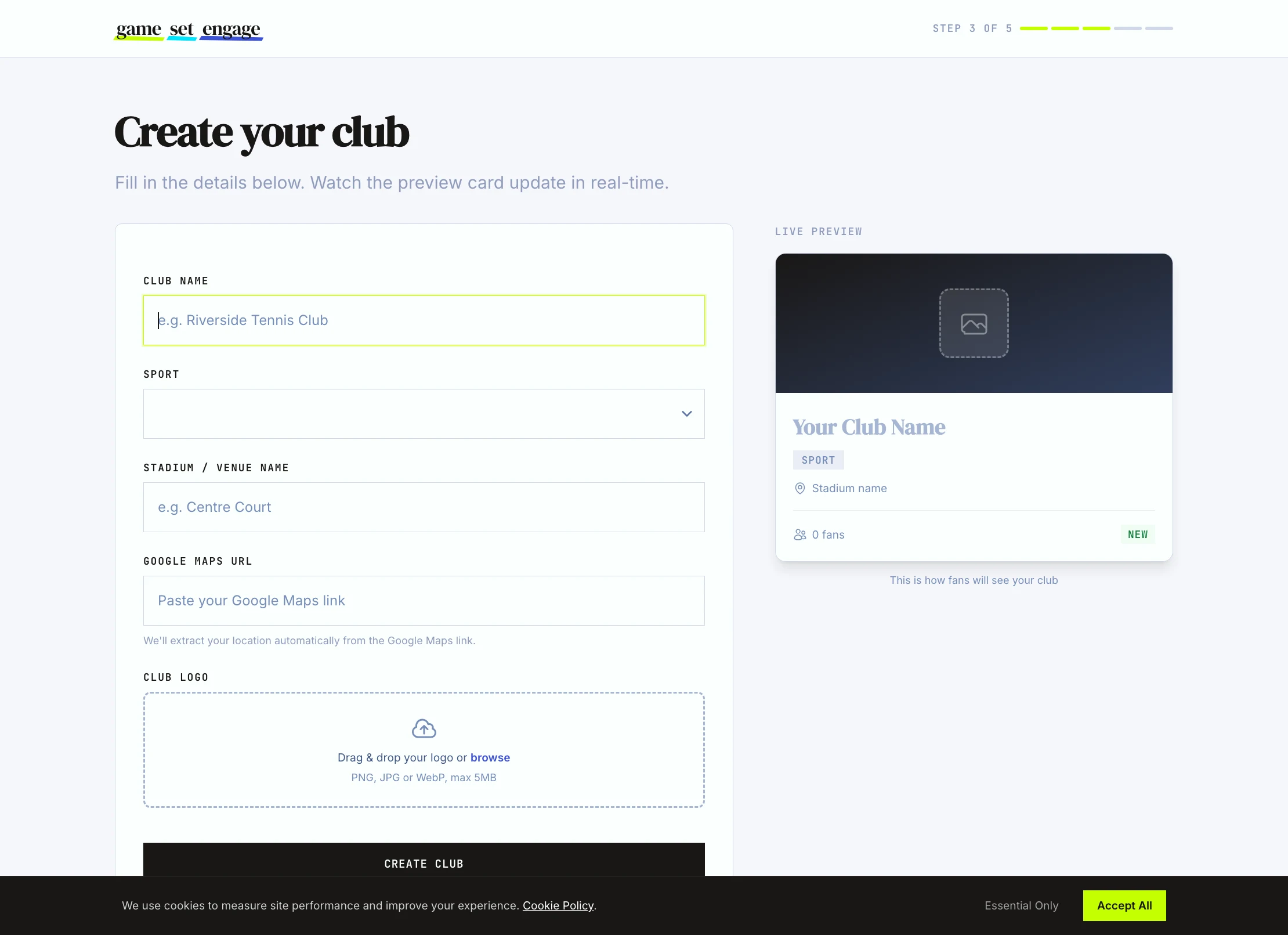
Step 2: Set up your club
Next, tell us about your club. This is the identity fans see when they find you in the mobile app.
- Club name — what your supporters call you
- Sport — pick the sport you play
- Home ground — your stadium or pitch name
- Google Maps link — paste it and we fill in your city and country automatically
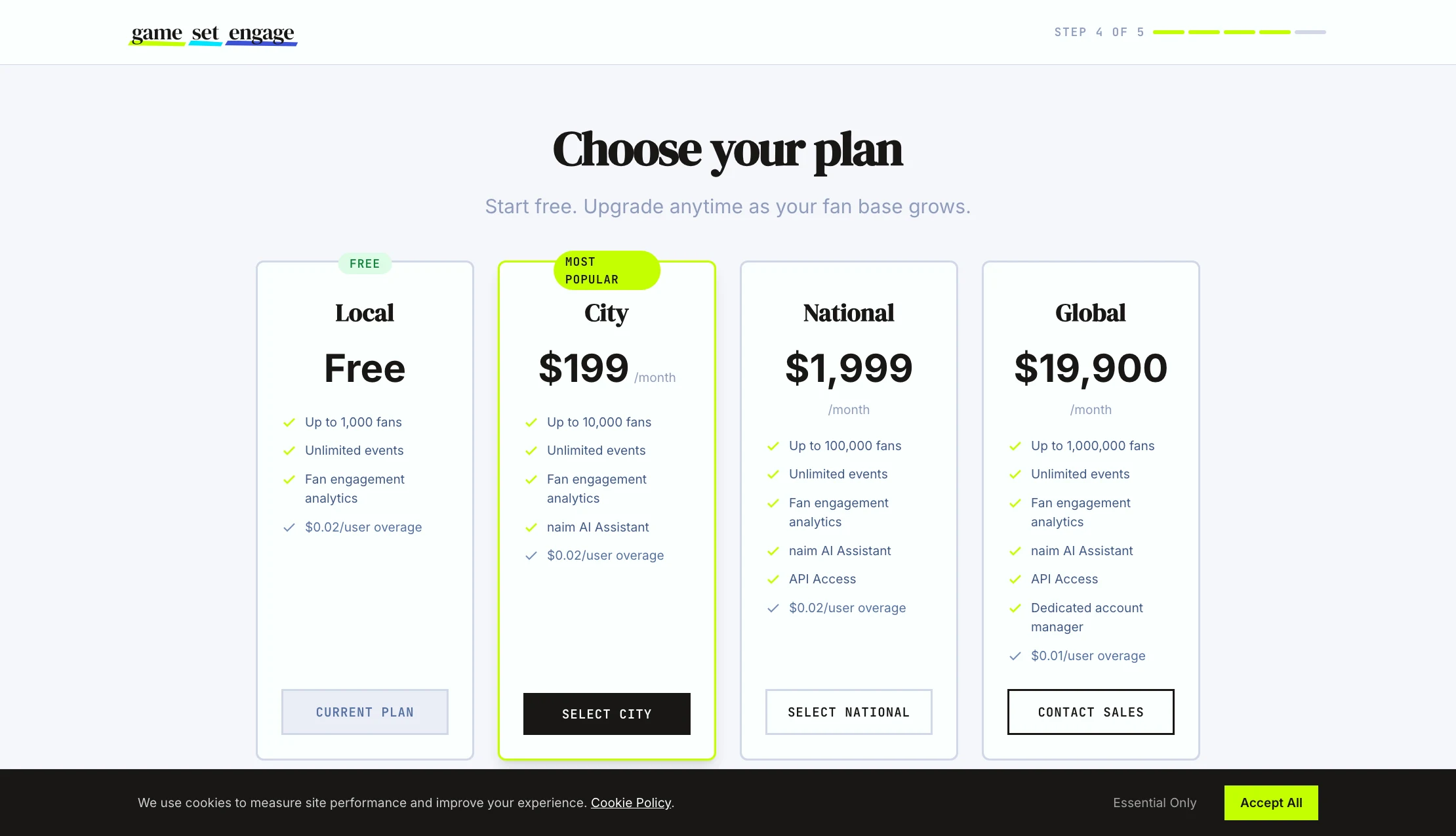
Step 3: Choose your plan
Pick the plan that matches the size of your fanbase. You can start free and upgrade whenever you grow.
| Plan | Fans included | Price |
|---|---|---|
| Local | Up to 1,000 | Free |
| City | Up to 10,000 | $199/mo |
| National | Up to 100,000 | $1,999/mo |
| Global | Up to 1,000,000 | $19,900/mo |
Not sure yet? Start on Local. It's free, and upgrading later takes a couple of clicks. You can compare every plan on the pricing page.
Step 4: Add your club logo
Upload a logo so your club looks the part everywhere fans see you. A square image of 400×400px or larger works best. You can skip this for now and add it later from Club Settings.
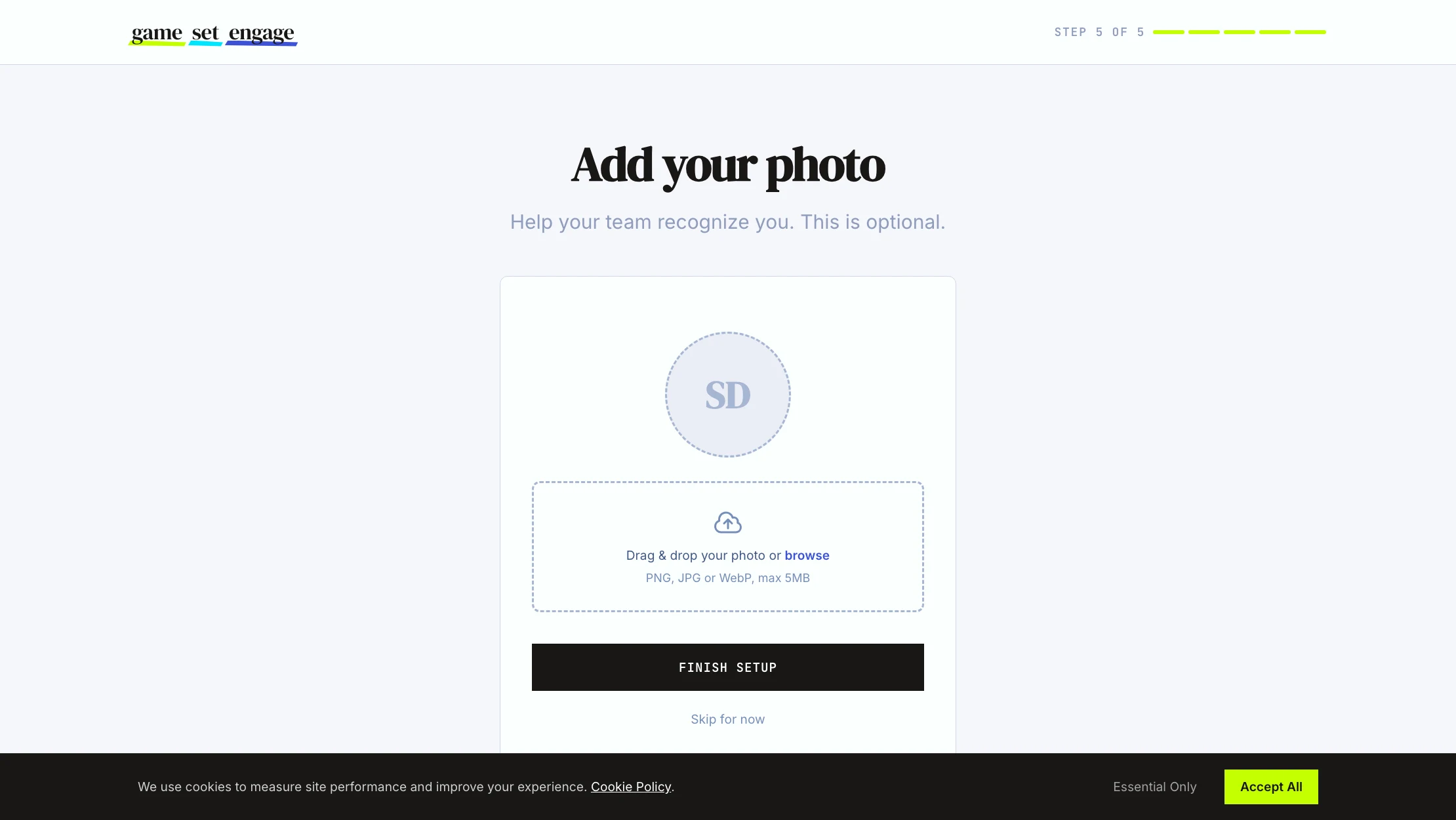
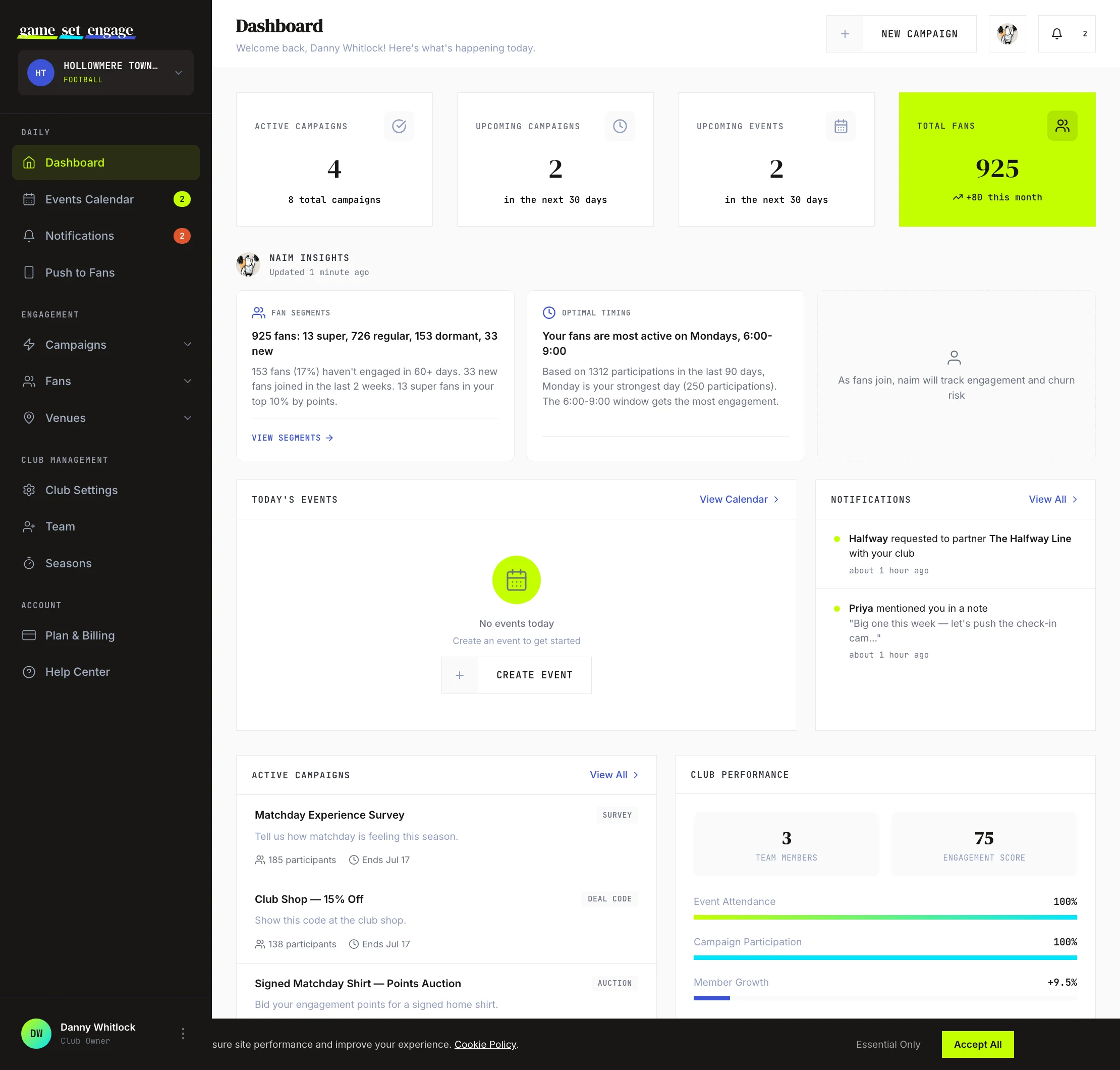
That's onboarding done. You land on your dashboard — the home base for everything that follows.
Step 5: Invite your crew
You don't have to run everything alone. Invite team members so they can help manage events and campaigns.
Go to Club Management → Team, send an invite by email, and your crew member gets their own login. For a full walkthrough, see the Inviting and managing your team guide.
Step 6: Launch your first campaign
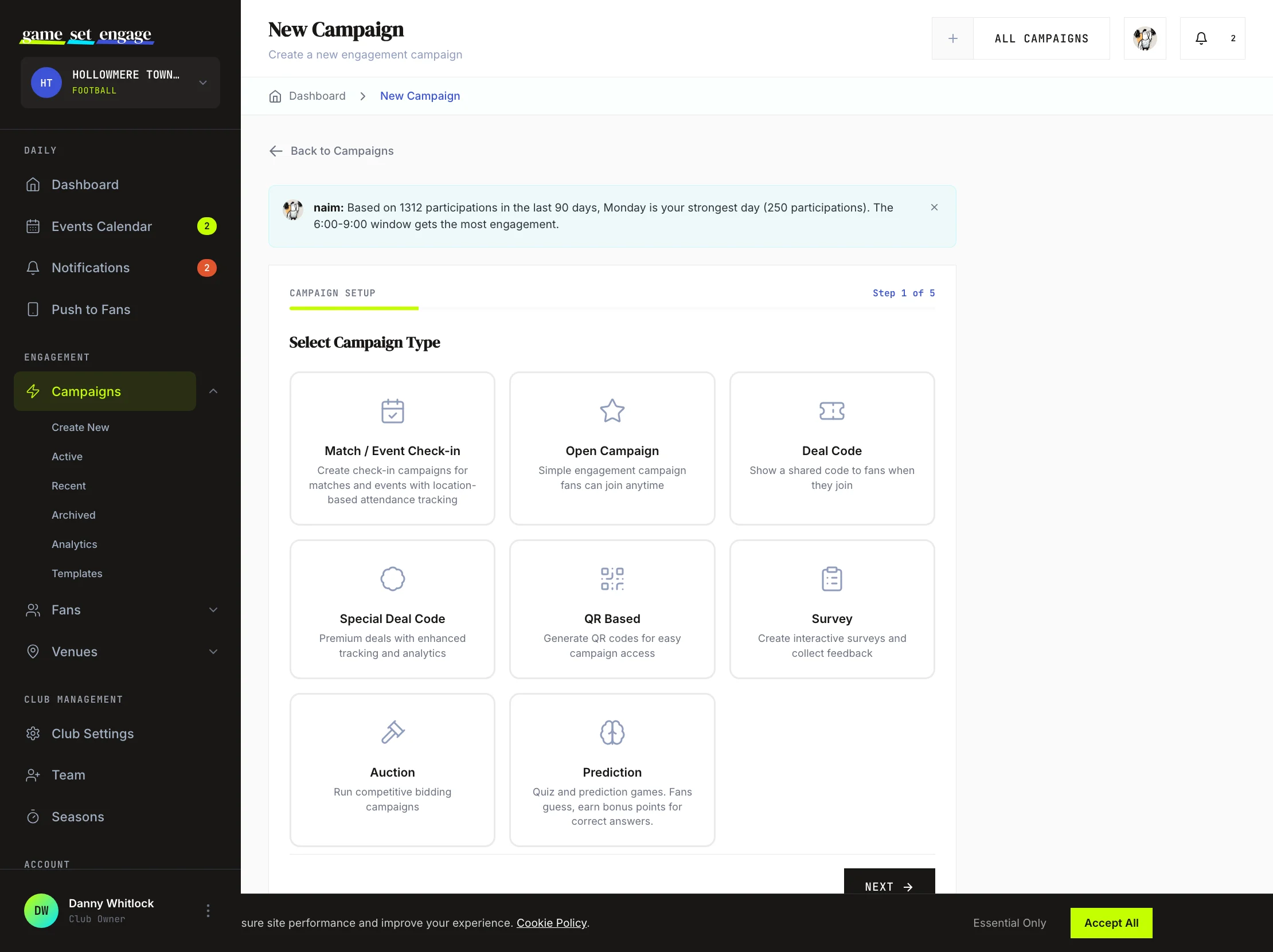
Campaigns are how you engage fans and reward loyalty. Open Campaigns → Create New and the builder walks you through it step by step.
Here's a quick look at the campaign types you can run:
- Event Check-In — fans check in on match day and earn points based on where they watch: 5× at the stadium, 3× at a partner venue, 1× at home
- Deal Code — share an exclusive discount code with your fans
- QR-Based — place QR codes around your venue for fans to scan
- Survey — collect feedback and reward fans for answering
- Prediction — fans predict match outcomes and earn points for getting them right
- Auction — fans bid their engagement points on experiences and memorabilia
Tip: Event Check-In is the most popular first campaign. It's simple to set up and gives you attendance data from day one.
For the full builder walkthrough, read Creating your first campaign. To compare every type, see Campaign types explained.
Step 7: Watch your results
Once a campaign is live, your dashboard and the campaign analytics screens show you what's happening:
- Total engagement — how many fans are taking part
- Campaign performance — which campaigns pull the most interest
- Fan growth — how your supporter base is building over time
- Check-in locations — where fans are watching
Use what you learn to do more of what works. The Campaign analytics and reports guide shows you how to read every number.
What's next?
You're up and running. From here, pick the guide that matches what you want to do next:
- Your dashboard tour — find your way around every screen
- Creating your first campaign — the full builder, step by step
- Building your venue partner network — add pubs and bars as check-in locations
- Understanding your fans — get to know who's turning up
Stuck on anything? The Help Center link in your dashboard is always one click away.